Overview
The Hints and Tips widget is available for download from Bizagi Widget Xchange.
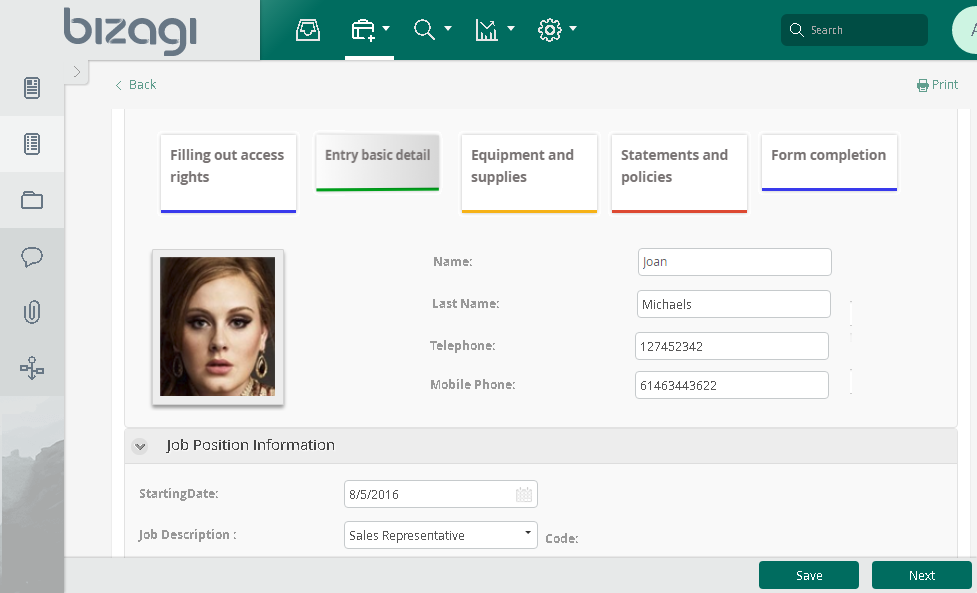
This widget allows you to display a gallery of helpful notes—either to guide users while completing a Form or to share general, important information.
|
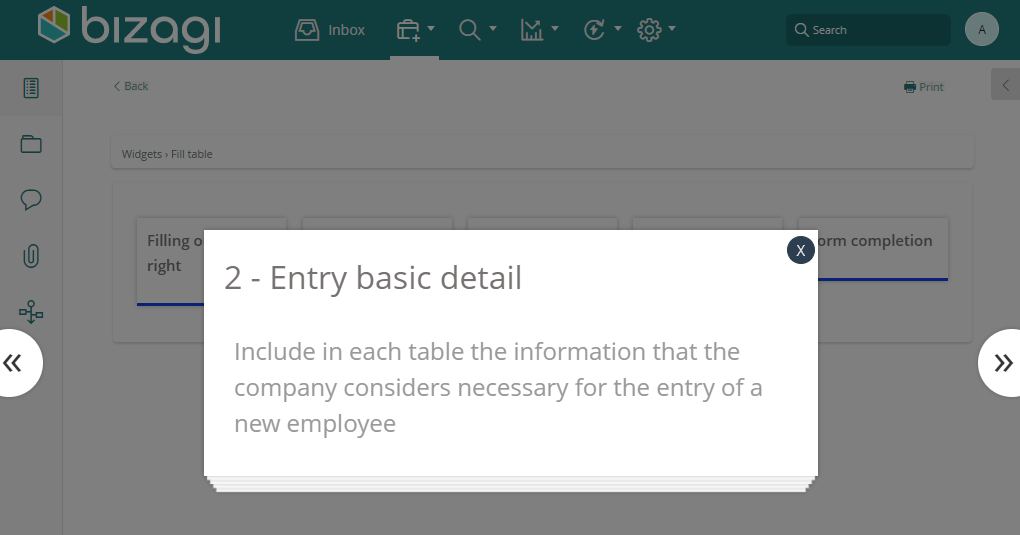
These notes flip on hover to indicate that clicking will reveal additional details. This interaction also lets you navigate to the previous or next piece of information. |

Before You Start
To test and use this widget, you will need:
1.Bizagi Studio previously installed.
2.This widget installed, either by following the steps in the Bizagi Widget Xchange article or the Widget Management article.
Data Model Considerations
To use this widget, your data model must include:
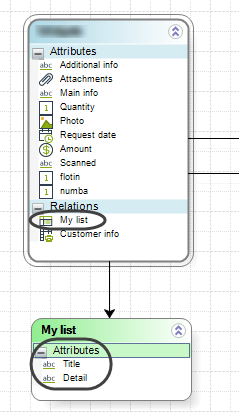
•A parameter-type entity that stores the multiple records you want to display.
•An attribute referencing this parameter entity, allowing navigation via XPath.
•Two string-type attributes within the parameter entity: one for a brief title and another for detailed information, such as a description or additional instructions.
Properties Configuration
To configure this widget after installation, add it to any Form and set its properties in the Forms Designer, just as you would for any other Bizagi control. The widget is available in the Utilities section of the Controls tab.
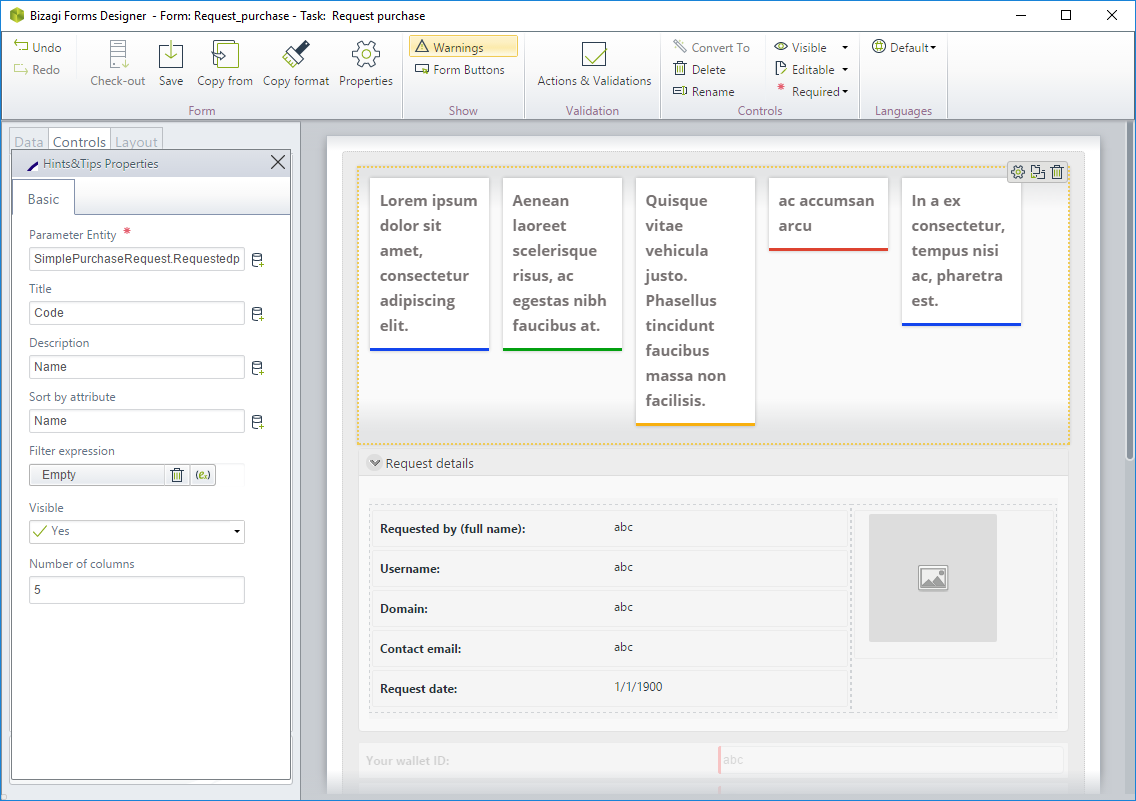
Consider the following properties:
PROPERTY |
POSSIBLE VALUES |
DEFAULT VALUE / SUGGESTED |
|---|---|---|
Parameter entity |
A parameter entity bound to retrieve the list of information to display in the notes. |
Not applicable. This property is mandatory. |
Title |
A subproperty of the parameter entity definition. An attribute within this entity that stores the title displayed at first glance. |
Not applicable. This property is mandatory. |
Description |
A subproperty of the parameter entity definition. |
Not applicable. This property is mandatory. |
Sort by attribute |
The attribute which defines which which information is presented first, from left to right. |
None. Not applicable. |
Filter expression |
A filtering expression you may use to define a string which returns applicable values. Configured as described in the Filter property article. |
None. Not applicable. |
Number of columns |
The number of columns you want to use as layout to present the notes. Possible values range from 1 to 5. |
5 |
|
All Bizagi controls and widgets include a Visible property that lets you define whether the control should appear in a given form (e.g., by applying a Business rule). This widget is designed to be Read-only |
For more information and details on customizing or extending this widget, refer to the jQuery plugin implementation documentation.
Last Updated 1/19/2026 9:00:44 AM