Overview
The AI BPU consumption report is a global report designed to give you full visibility into how artificial intelligence usage is consumed across a company. It consolidates all AI-related usage into a single place.
AI is used across multiple services, execution contexts, and environments, and it also supports different models with different cost structures.
The report centralizes all AI BPU consumption at company level,. It includes usage from all environments, (usually development, test, and production), all contributing to the same AI BPU allowance.
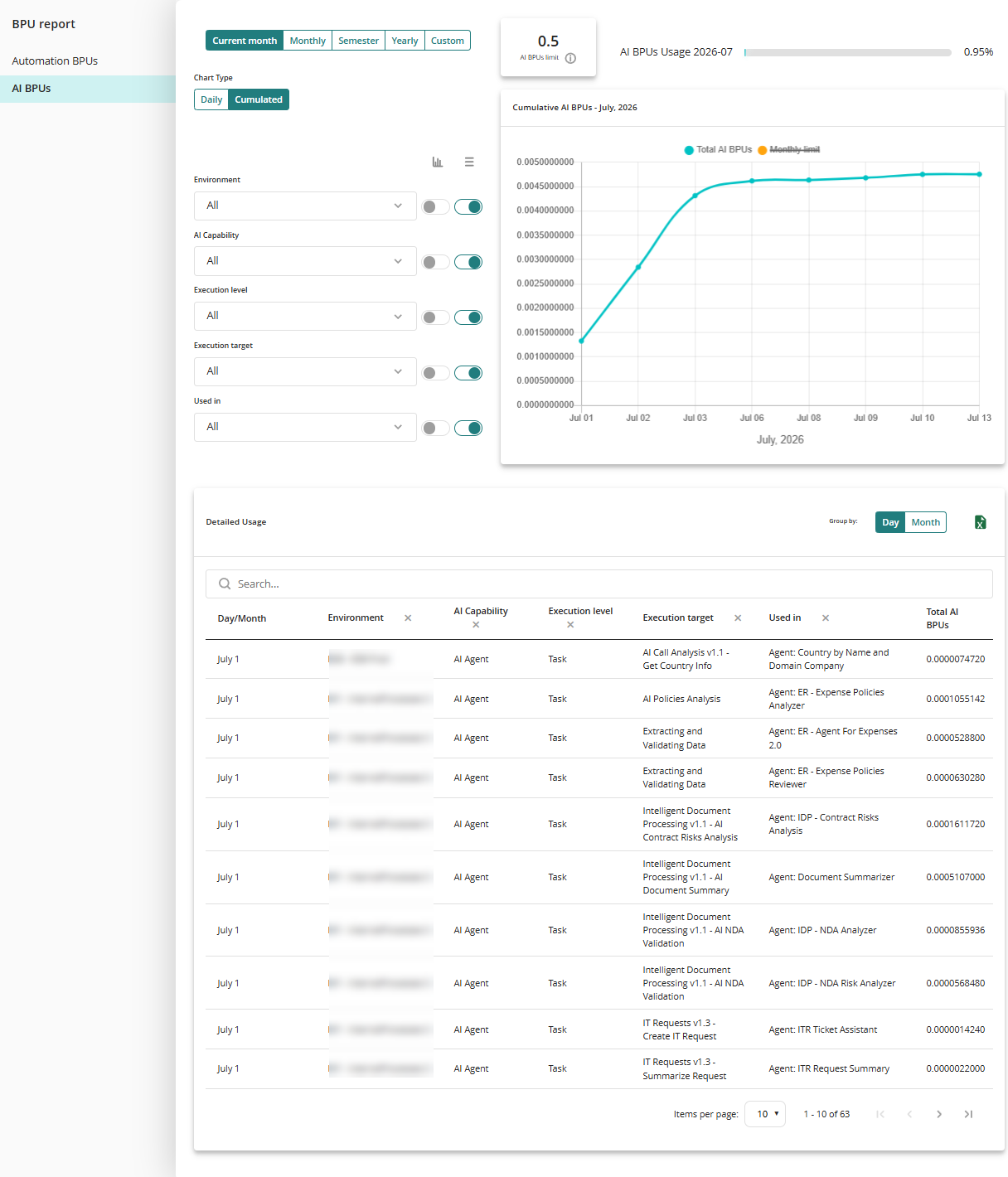
Consumption is displayed over time, allowing you to view current usage, historical trends, and cumulative consumption compared against the contracted AI BPU limit.
The main objective is to quickly answer two common questions:
•Have we exceeded (or are we close to exceeding) our AI BPU limit?
•Where and when did the consumption occur?
The report also keeps traceability to the model used, ensuring transparency and allowing you to compare usage across models if needed.
How AI consumption is calculated
AI consumption is calculated using tokens, which is the standard unit used by AI models. Tokens include both input tokens (what is sent to the model) and output tokens (the model’s response).
These tokens are converted into AI BPU using a defined equivalence:
50 million Tokens = 1 AI BPU
Navigating and analyzing consumption
The report combines visual analysis and detailed breakdowns to help you move from a high-level overview to a precise review of consumption.
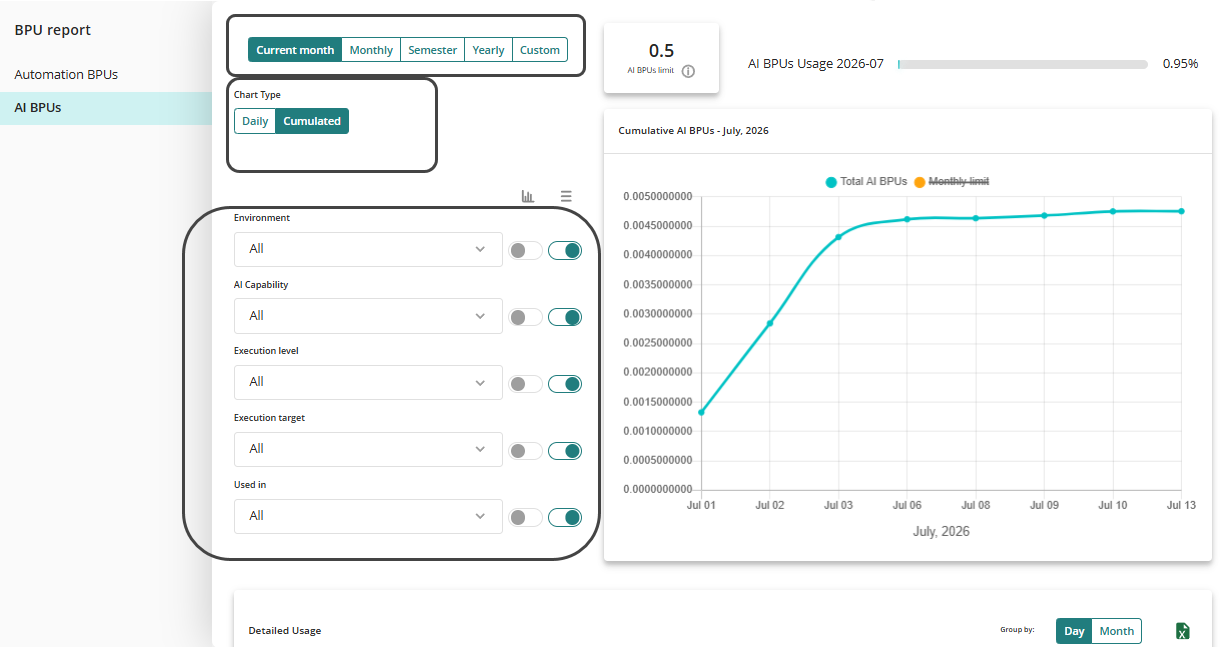
At the top level, you can see time-based charts that show total AI BPU consumption against the purchased AI BPU limit.
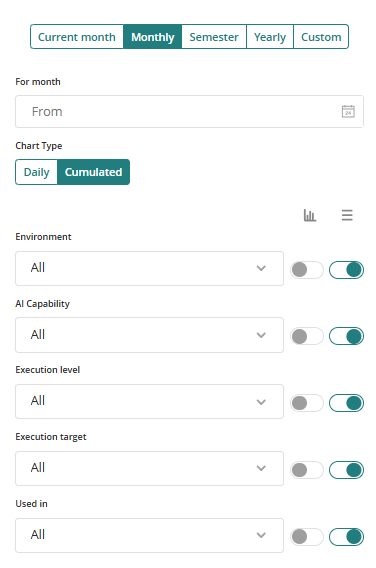
These charts help identify spikes or anomalies in usage over specific months, semester, annual or customized periods.
Understanding the reports
You can filter and drill down using multiple dimensions, such as:
•Environment (development, test, production)
•AI capability (for example, AI agents, AI Workers, Ask Ada, Vectorization, and other AI services)
•Execution level (task, entity, app, and other contexts where AI is executed)
•Execution target (specific processes, activities, entities, or applications)
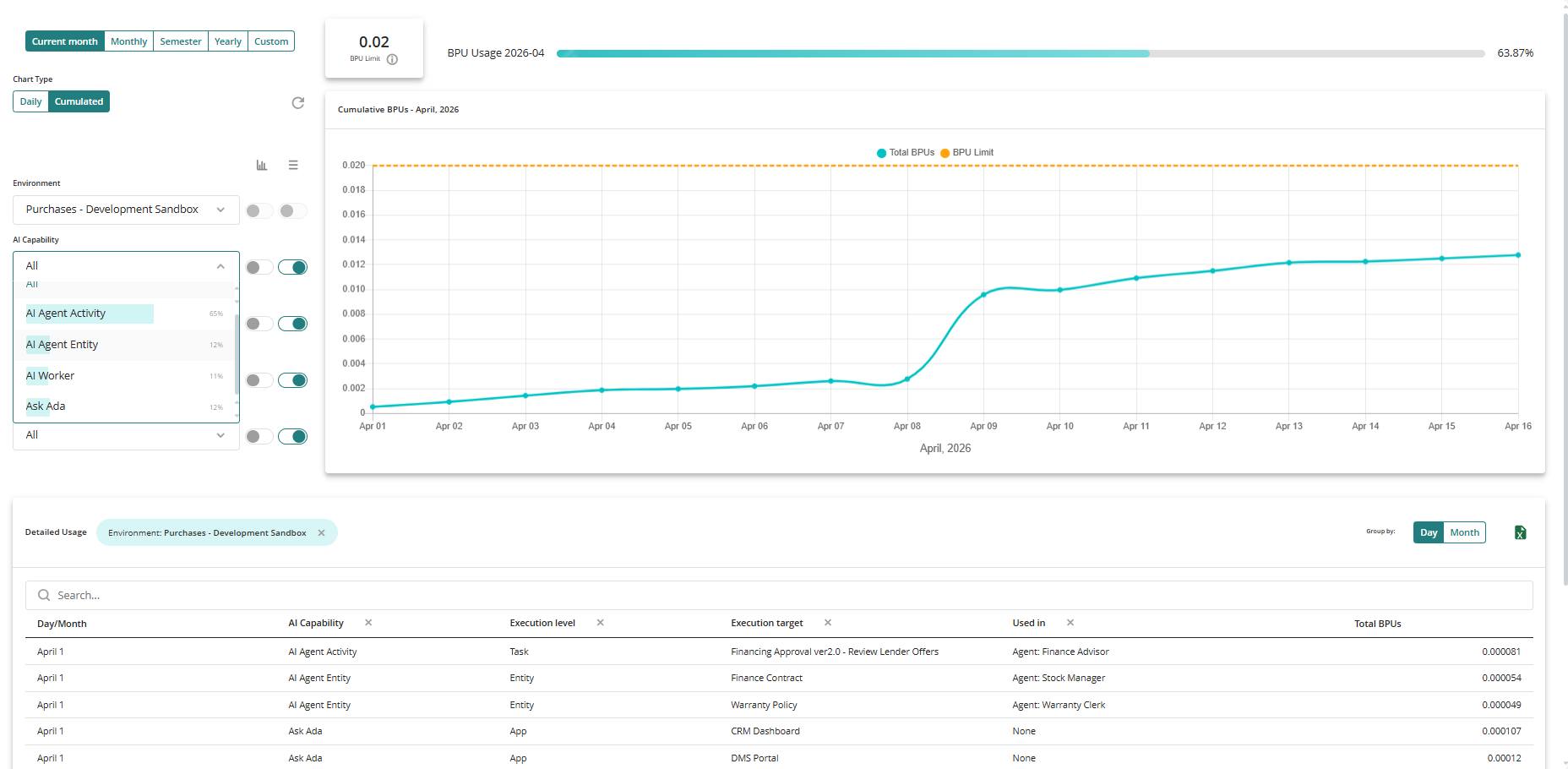
As filters are applied, the report dynamically adapts, removing redundant columns and highlighting the current context so you always understand what they are analyzing. This makes it easier to trace consumption step by step, from a global view down to a single task or agent responsible for usage.
Filter icons description
Each filter includes two icons that control how the information is displayed in the report:
Show or hide in table
This icon controls whether the selected filter dimension is shown as a column in the detailed table below.
When the icon is enabled, the dimension is displayed as a column in the table, allowing you to see the detailed values for each record.
When the icon is disabled, the dimension is hidden from the table and the data is aggregated without showing that level of detail.
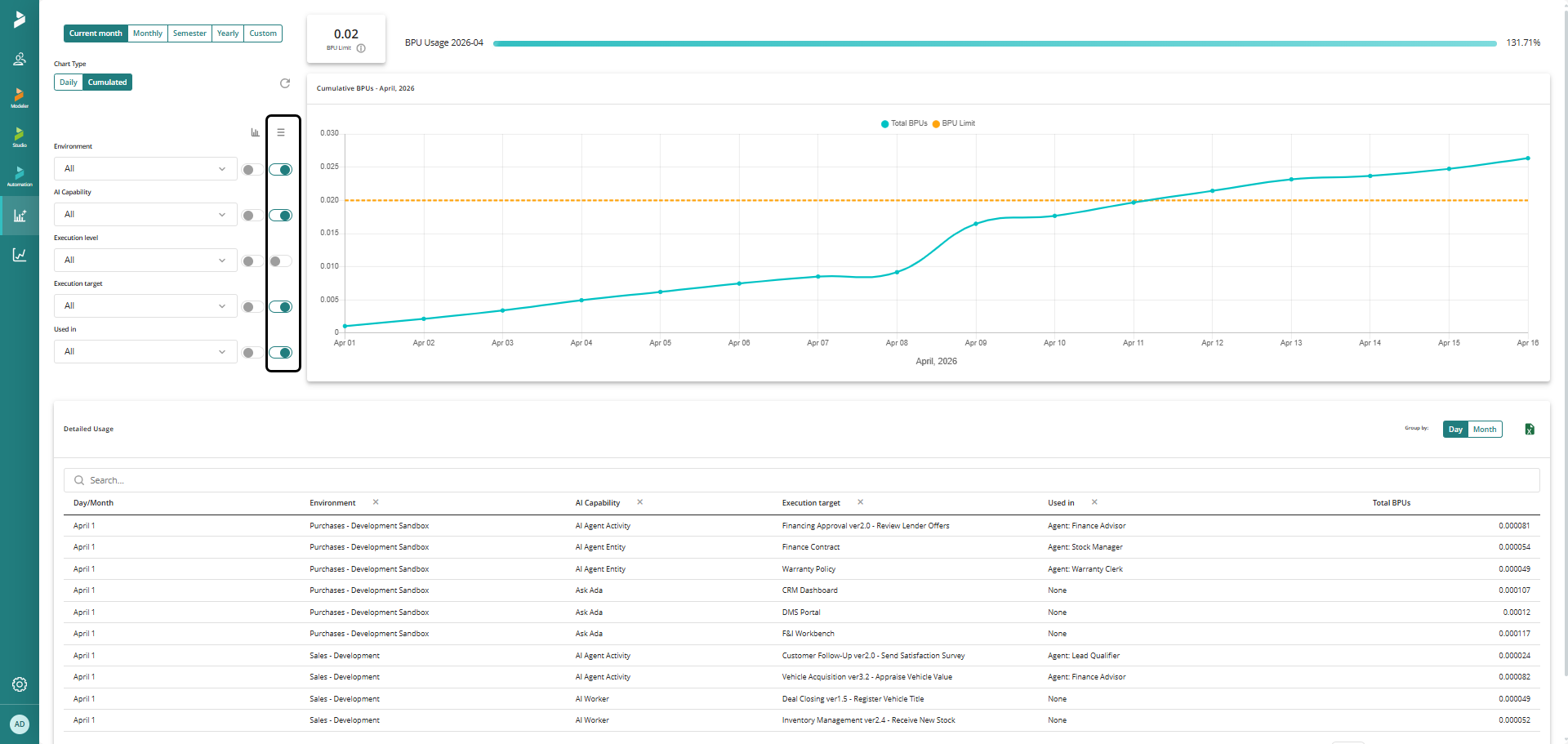
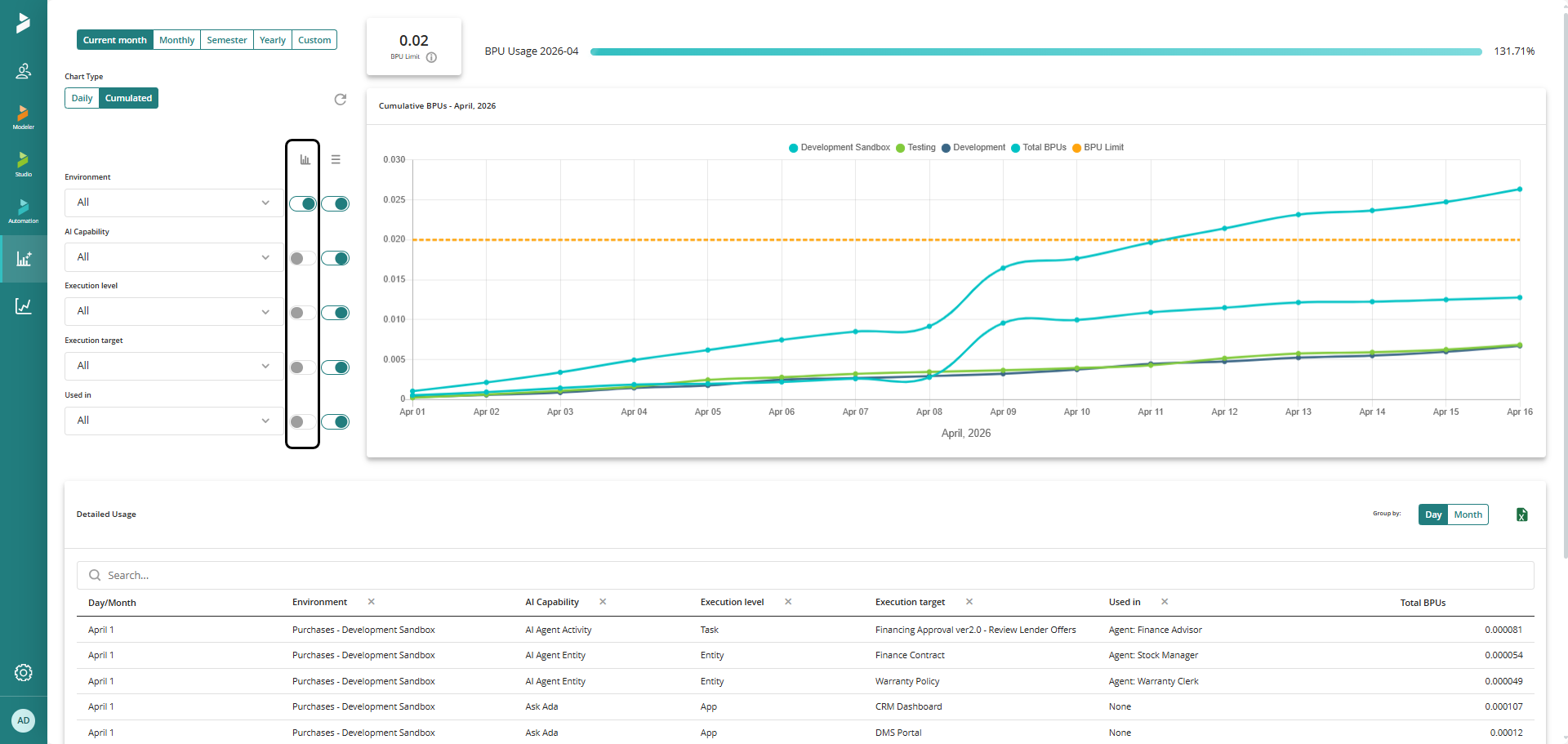
Group graph by (chart breakdown)
This icon defines the concept by which the chart is grouped and displayed.
When selected, the chart aggregates AI BPU consumption using this dimension as the grouping axis. For example, the graph can show consumption grouped by environment, AI capability, execution level, or any other available dimension.
Only one grouping can be active at a time, ensuring the chart remains clear and easy to interpret.
Download Report
The report data can be exported for further analysis. For information about the available download options and generated files, see Consumption Detail Download Report.
Last Updated 7/14/2026 3:59:59 PM