Overview
The Password strength validator widget for Bizagi is available for download at Bizagi Widget Xchange.
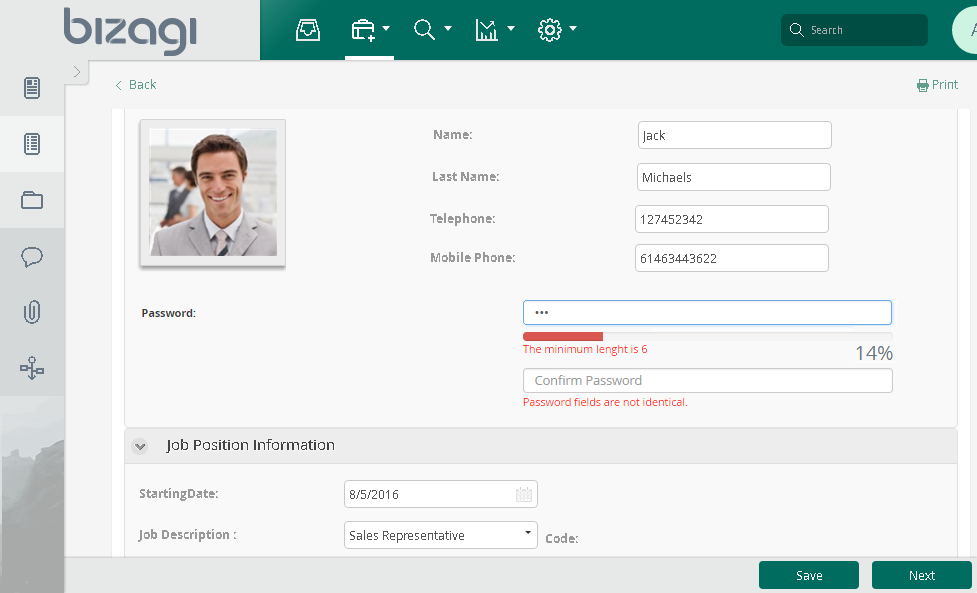
This widget enables you to include a password field in your processes that validates password strength according to predefined security criteria.
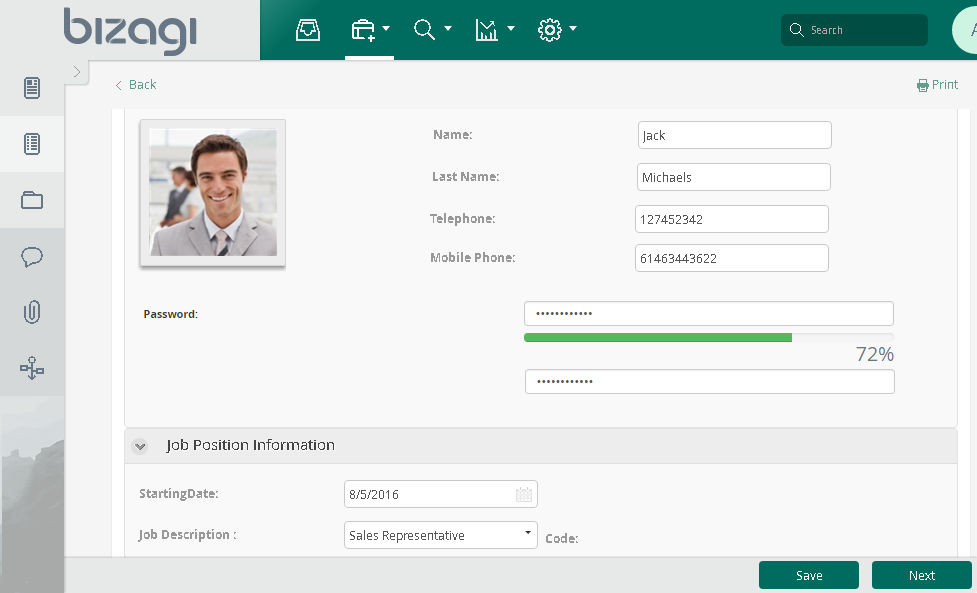
For example, you can use it for fields that require double verification or when you need to mask sensitive input:
Before You Start
To test and use this widget, you will need:
1.Bizagi Studio previously installed.
2.This widget installed, either by following the steps in the Bizagi Widget Xchange article or the Widget Management article.
Data Model Considerations
To use this widget, your data model must include:
•A String type attribute which holds the password you want to validate for and store.
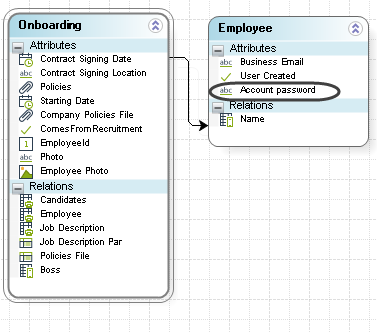
Properties Configuration
To configure this widget after installation, add it to any Form and set its properties in the Forms Designer, just as you would for any other Bizagi control. The widget is available in the Utilities section of the Controls tab.
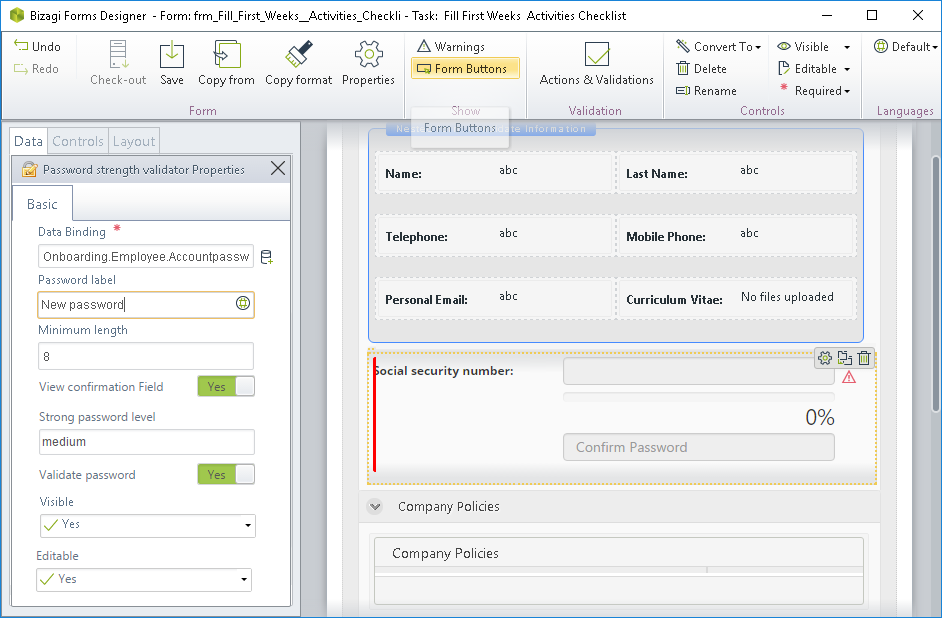
Consider the following properties:
PROPERTY |
POSSIBLE VALUES |
DEFAULT VALUE / SUGGESTED |
|---|---|---|
Data binding |
A String type attribute which holds the password. |
Not applicable. This property is mandatory. |
Password label |
A label to use to clarify that the end user is expected to input a new password definition. |
Password |
Minimum length |
The number of minimum characters a password has to include in order to be considered strong. |
6 |
View confirmation field |
Enables double verification, providing an additional field to ensure that the information entered matches its confirmation value. |
True |
Validate password |
Enables an algorithm that validates whether the entered information meets strong‑password requirements. |
True |
Strong password level |
The level of strength involved in the algorithm that validates the input. Possible values are: •High •Medium •Low |
High |
|
All Bizagi controls and widgets include a Visible property that lets you define whether the control should appear in a given form (e.g., by applying a Business rule). This widget enables this property as well as editable and required. |

For additional details about the widget’s capabilities—including options for customization or extension—refer to the jQuery plugin implementation available at https://github.com/danpalmer/jquery.complexify.js
Last Updated 1/19/2026 9:12:55 AM