Overview
The Amazon SES connector for Bizagi is available for download at Bizagi Connectors Xchange.
Through this connector, you will be able to connect your Bizagi processes to your account at Amazon Web services (https://aws.amazon.com/account), in order to use specifically services from its Simple Email Service feature.
For more information about this connector's capabilities, visit Bizagi Connectors Xchange.
|
This Connector was developed based on the specifications of the Amazon SES API and the information provided by Amazon SES. Bizagi and its subsidiaries do not provide any guarantees regarding the API content or any errors that may occur when invoking its services. Furthermore, Bizagi and its subsidiaries shall not be held liable for any loss, cost, or damage resulting from calls made to the Amazon SES API. |

Before You Start
In order to test and use this connector, you will need:
1.Bizagi Studio previously installed.
2.This connector previously installed, via the Connectors Xchange as described at Bizagi Connectors Xchange article, or through a manual installation as described in the Installing and managing connectors article.
3.An account at https://aws.amazon.com/.
Configuring the Connector
In order to configure the connector (i.e its authentication parameters), follow the steps presented at the Configuration chapter in the Installing and managing connectors article.
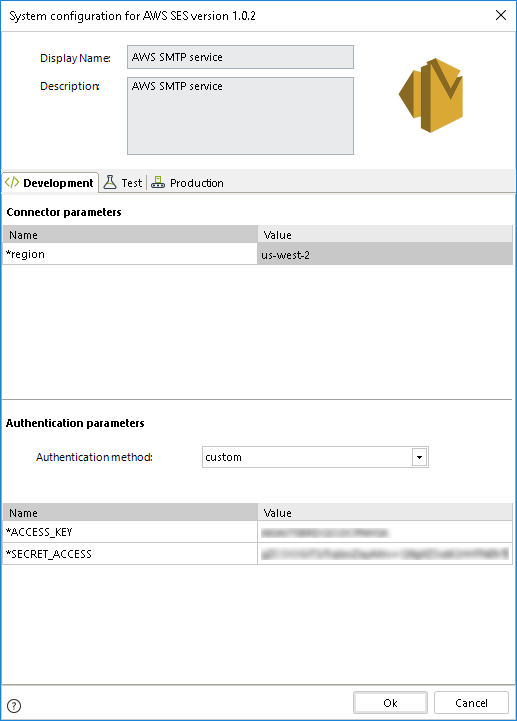
For this configuration, consider the following connection parameters:
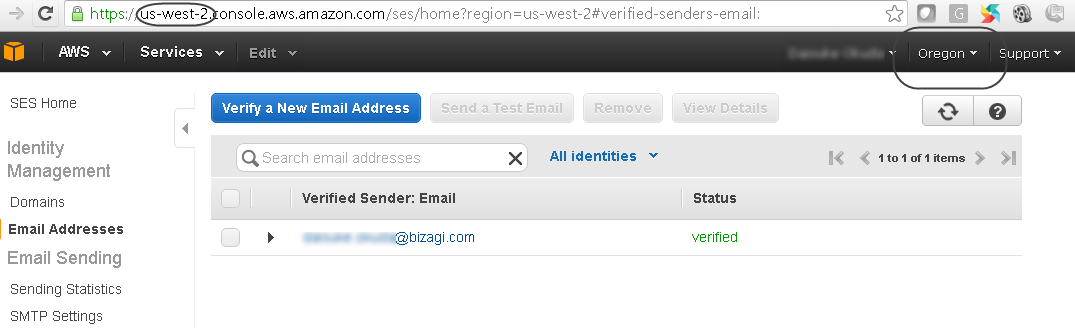
•Region: The server's name which is hosting your account. This is configured by you, and verified from a browser as: https://[server name and region].console.aws.amazon.com/ses/home.
For this configuration, consider the following authentication parameters:
•Authentication method: Custom.
•ACCESS_KEY: The access key as requested and managed at https://console.aws.amazon.com/iam/home?#security_credential.
•SECRET_ACCESS: The secret access for the access key, as requested and managed at https://console.aws.amazon.com/iam/home?#security_credential.
Using the Connector
This connector features an available method of Amazon web services regarding SES features to send e-mail notifications.
To learn overall how/where to configure the use of a connector, refer to the Using Connectors article.
When using the connector, make sure you consider the following details for the available actions.
Available Actions
Send e-mail
This action allows you to send an e-mail notification, with any content of your choice and by specifying sender and recipient.
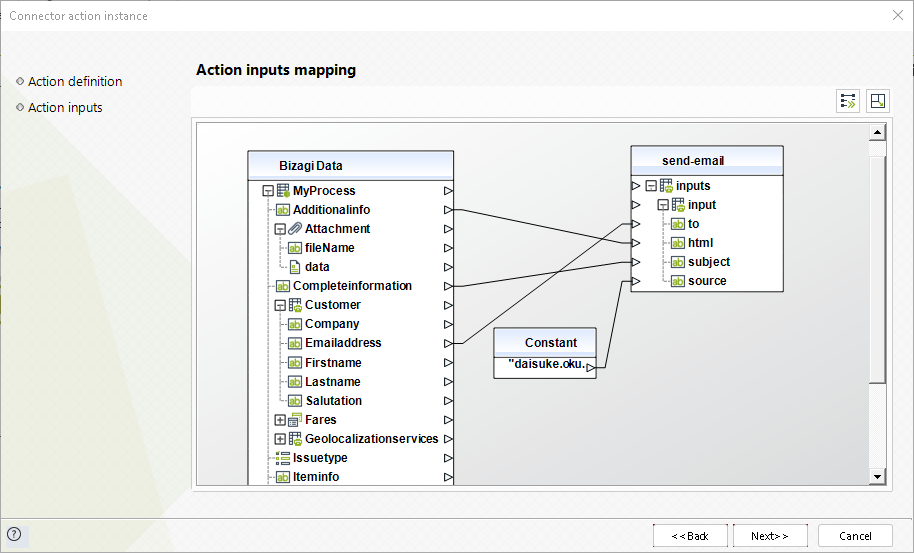
To configure its inputs, take into account the following descriptions:
•To: The recipient's e-mail address.
•Source: The sender's e-mail address.
•Subject: The subject of the sent e-mail.
•HTML: The full body of the sent e-mail in an HTML format.
|
Make sure that your sender and recipient e-mail addresses are verified at https://[server_name and_region].console.aws.amazon.com/ses/home?region=[server_name and_region]#verified-senders-email (or, similarly, use and verify domains). |
To configure the outputs of this action, you can map the output object to the corresponding entity in Bizagi. Make sure you map the attributes of the entity appropriately.
•MessageId: sequence identifier of the sent e-mail (for tracking purposes).
For more information about this method's use, refer to AWS official documentation at http://docs.aws.amazon.com/ses/latest/APIReference/Welcome.html.
Last Updated 12/10/2025 3:33:30 PM