Overview
This article explains how to download the latest version of Bizagi Studio for our different types of users:
•Download Bizagi Studio for users with Cloud Subscription Spring 2023 and Fall 2023 versions or Fall 2022 and 11.2.5 Cloud versions.
•Download Bizagi Studio as a new user or user with no current Bizagi account.
Cloud Subscription
As part of the required configurations to download and access Bizagi Studio, follow these steps:
1.The Company Owner must add the different users to the Company in the Cloud Portal. For more information, refer to the Manage Company users documentation.
2.Then, the users must be added to the Studio Cloud Services (SCS) subscription. For more information about this step, refer to the Invite developers to your Studio Cloud Services subscription documentation.
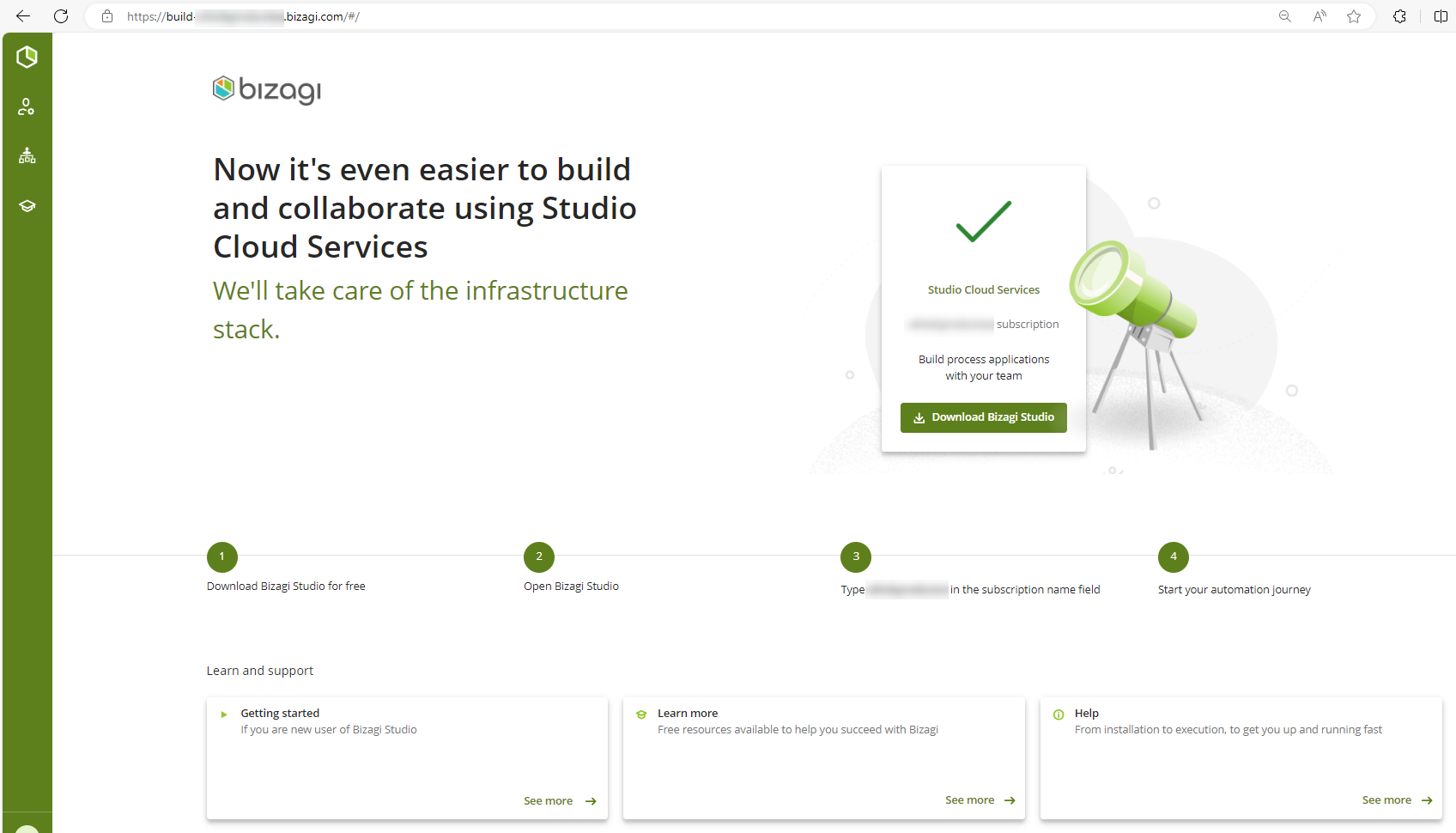
3.Once, users have been added to the SCS subscription, they can download the latest Bizagi Studio version through the subscription's build page with the following format: https://build-[SubscriptionName].bizagi.com.
|
•This download applies to subscriptions that are on version Spring 2023 onwards. •Make sure your Bizagi account is included in the subscription you intend to download Bizagi Studio. •If you need any other Studio version, you must contact Support. |

For new users or users without a Bizagi account
Download Bizagi Modeler
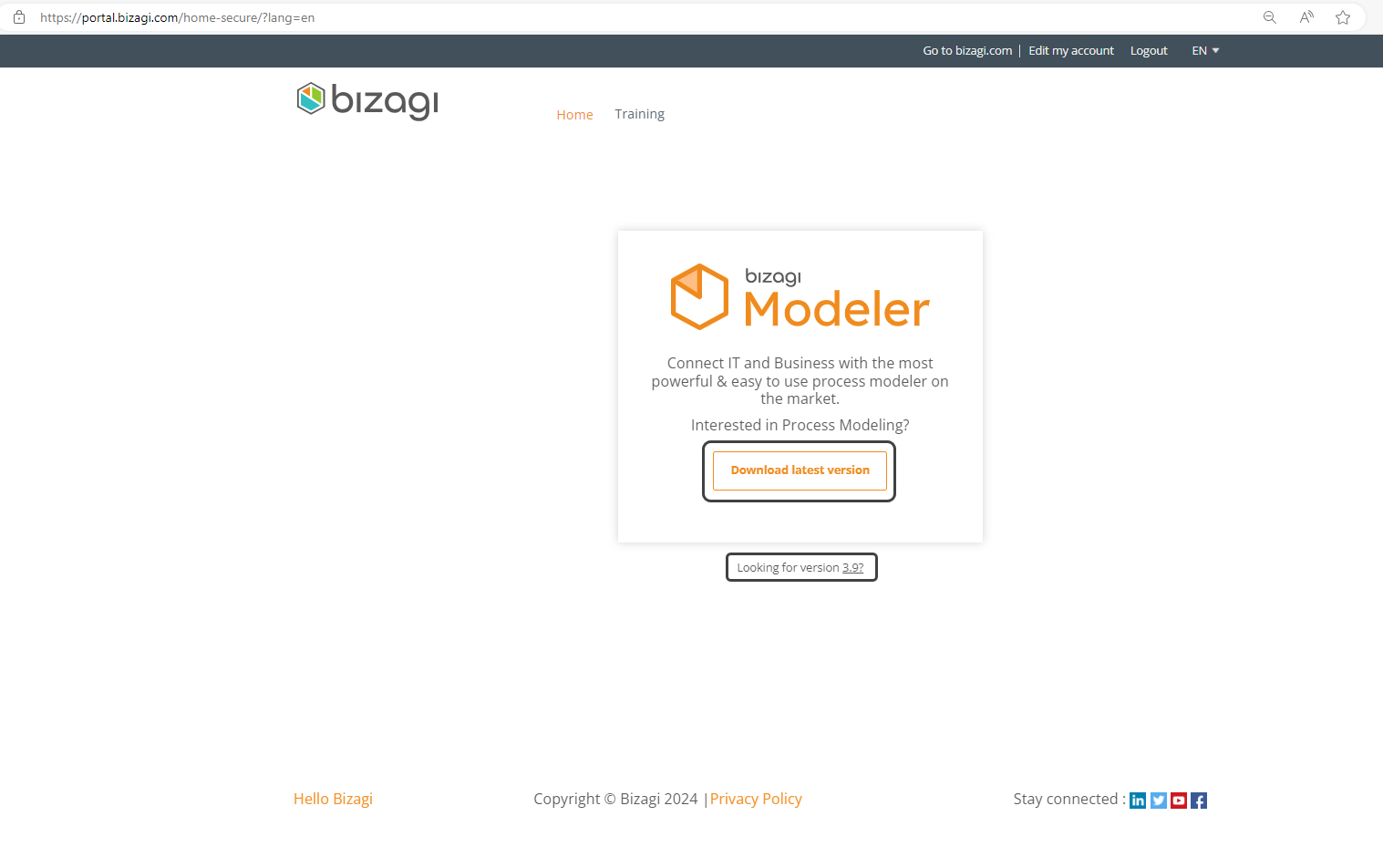
You can download Bizagi Modeler both in the Cloud or On-premises version by login-in to Bizagi.com website with your external credentials. One you have logged-in, you can download the Cloud version by selecting the Download the latest version button. If you want to download the On-premises version, select the Looking for version 3.9? link.
Download Bizagi Studio on premises for Elearning courses
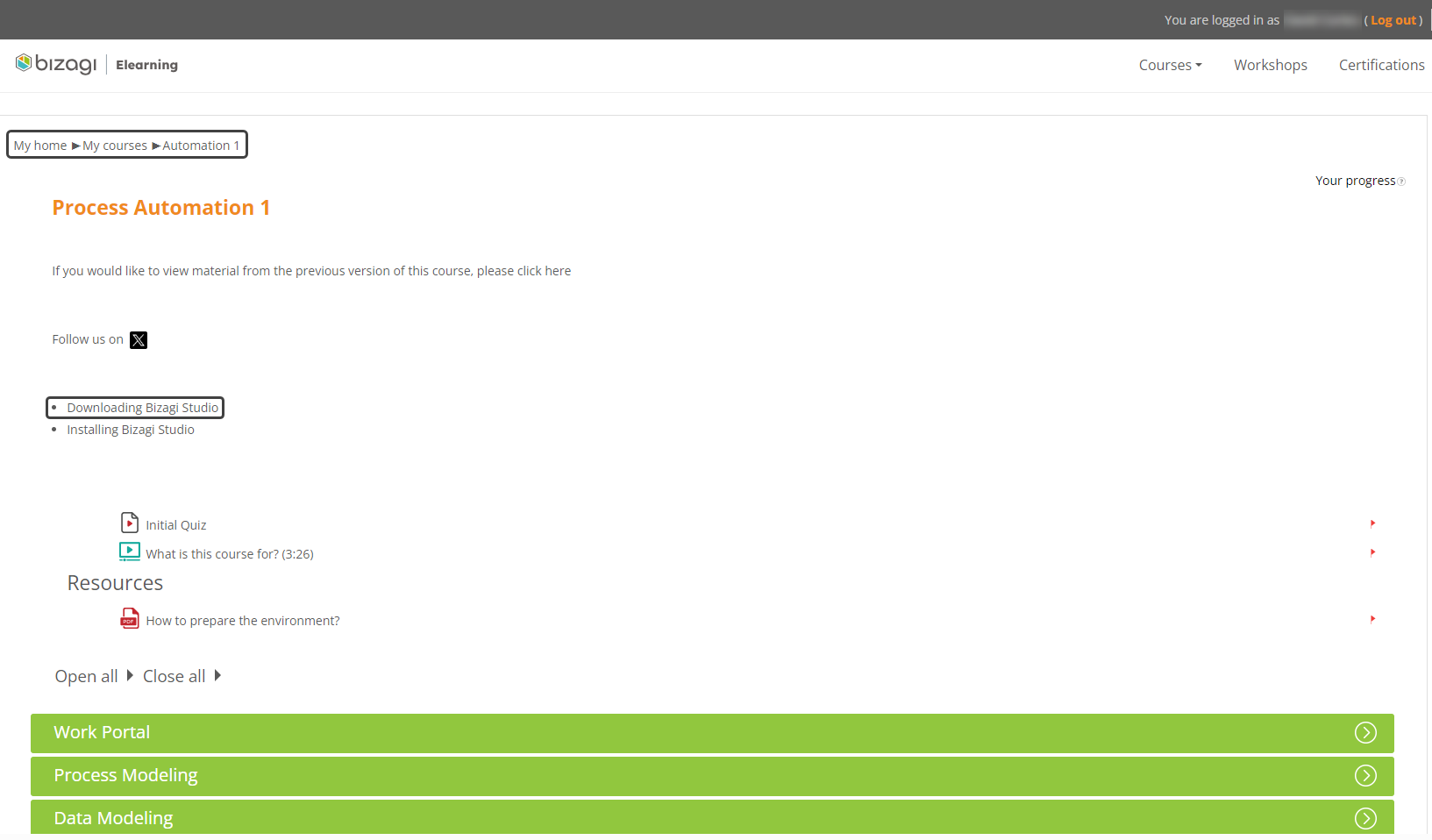
You can download the deprecated Bizagi 11.2.5 on-premises version by login-in to https://elearning.bizagi.com website with your external credentials. Once you have logged-in, follow these steps:
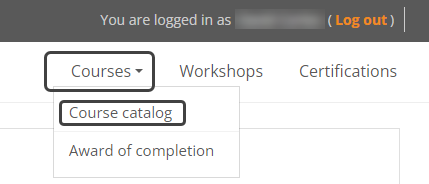
1.Go to Courses and select Course Catalog.
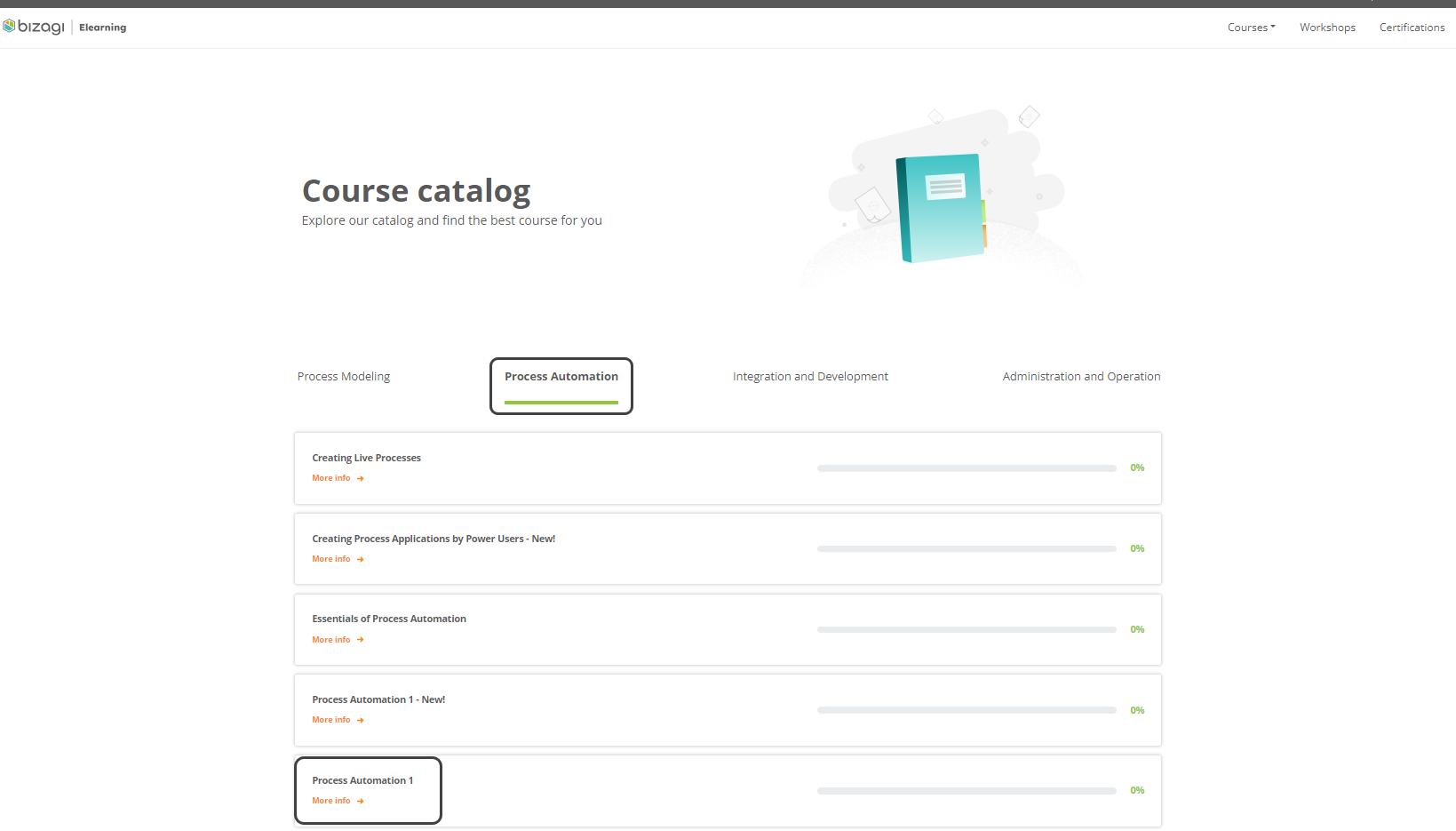
2.Then, select the Process Automation section and then, click the Process Automation 1.
3.Once inside, you will find the Downloading Bizagi Studio link which will automatically start the download.
What's next?
Refer to Bizagi Studio installation.
The download starts automatically.
Once the download finishes, verify that it has downloaded adequately and that you are using the official installer, by carrying out the steps described at Verifying the installer.
Last Updated 1/31/2024 4:46:39 PM