Overview
The Time Tracker widget for Bizagi is available for download at Bizagi Widget Xchange.
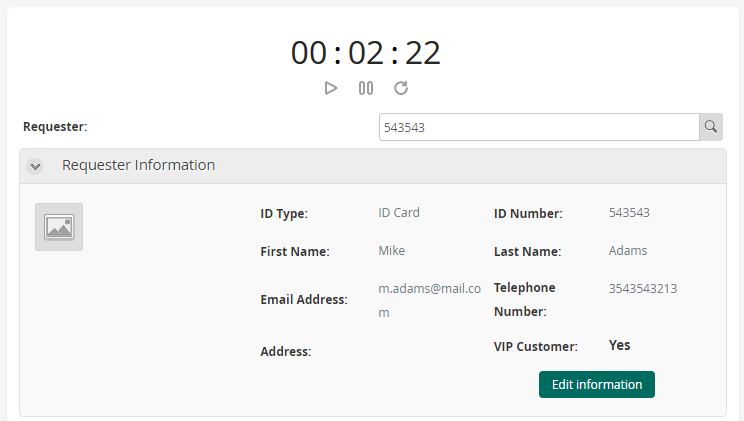
This widget allows you to measure the time spent on an activity and store the recorded duration—in seconds—in an attribute.
Before You Start
To test and use this widget, you will need:
1.Bizagi Studio previously installed.
2.This widget installed, either by following the steps in the Bizagi Widget Xchange article or the Widget Management article.
Data Model Considerations
To use this widget your data model needs:
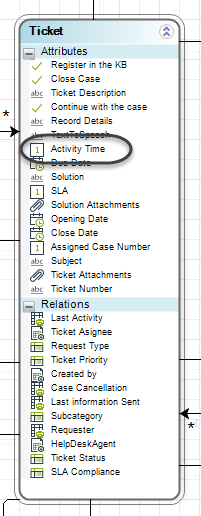
•A BigInt type attribute which holds the time spend in seconds.
Properties Configuration
To configure this widget after installation, add it to any Form and set its properties in the Forms Designer, just as you would for any other Bizagi control. The widget is available in the Utilities section of the Controls tab.
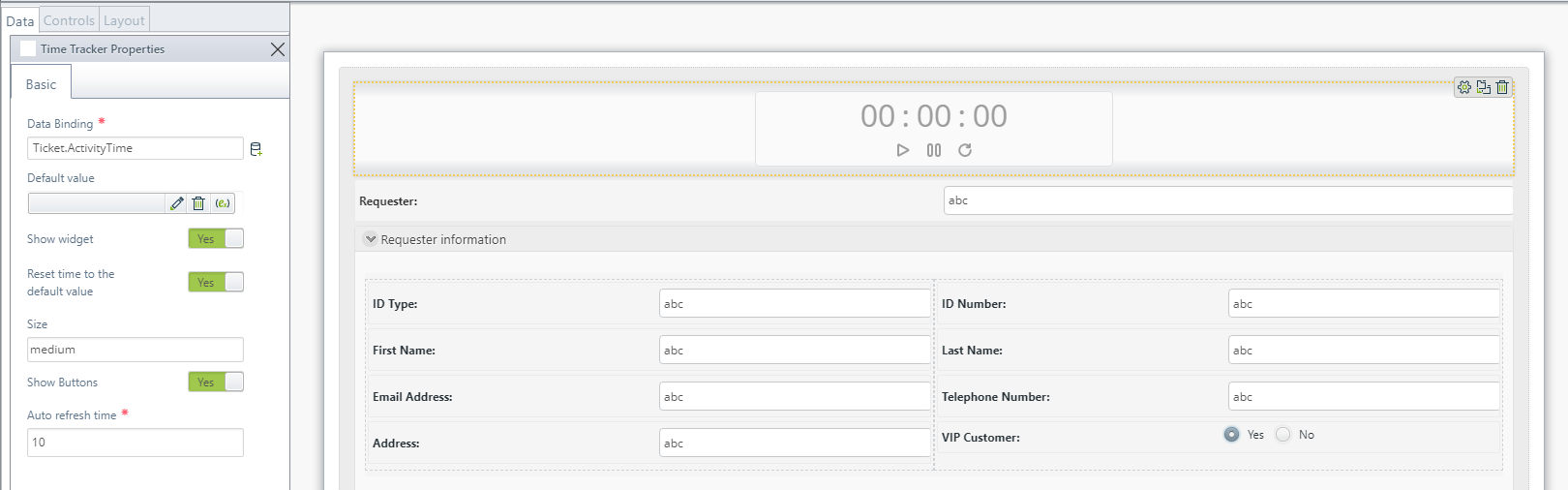
Consider the following properties:
PROPERTY |
POSSIBLE VALUES |
DEFAULT VALUE / SUGGESTED |
|---|---|---|
Data Binding |
A BigInt type attribute holding the number of seconds. |
Any. This property is mandatory. |
Default value |
A default value can be set whether fixed or through an expression. |
(None) |
Show widget |
When True, the widget is visible in execution in the Work Portal, otherwise, it is not shown. |
True |
Reset time to the default value |
When True, the Time tracker starts at the default value. If the default value is not set, the Time tracker starts at 0. When False, the Time tracker starts at the value defined in the XPath. |
True |
Size |
Small, medium, large |
Medium |
Show Buttons |
It is possible to hide the buttons in this widget, preventing users from pausing, starting, or resetting the timer. |
True Must be switched depending on the user needs. |
Auto Refresh time |
Time interval, in seconds, defined for automatically saving the Form. The minimum auto‑save interval is 10 seconds. Therefore, if a value lower than 10 is configured, it will be ignored, and both the auto‑save and the tracker will run every 10 seconds. |
10 |
|
All controls and widgets include a Visible (or Show widget) property that allows you to define whether they should be displayed in a Form—for example, by using a Business rule. •However, the Time Tracker widget starts counting as soon as the Form loads, so hiding it does not prevent the timer from starting. •Additionally, this widget relies on the Form being saved, either by clicking Save, Next, or through custom buttons that trigger these same behaviors. |

Last Updated 1/19/2026 9:45:41 AM