Overview
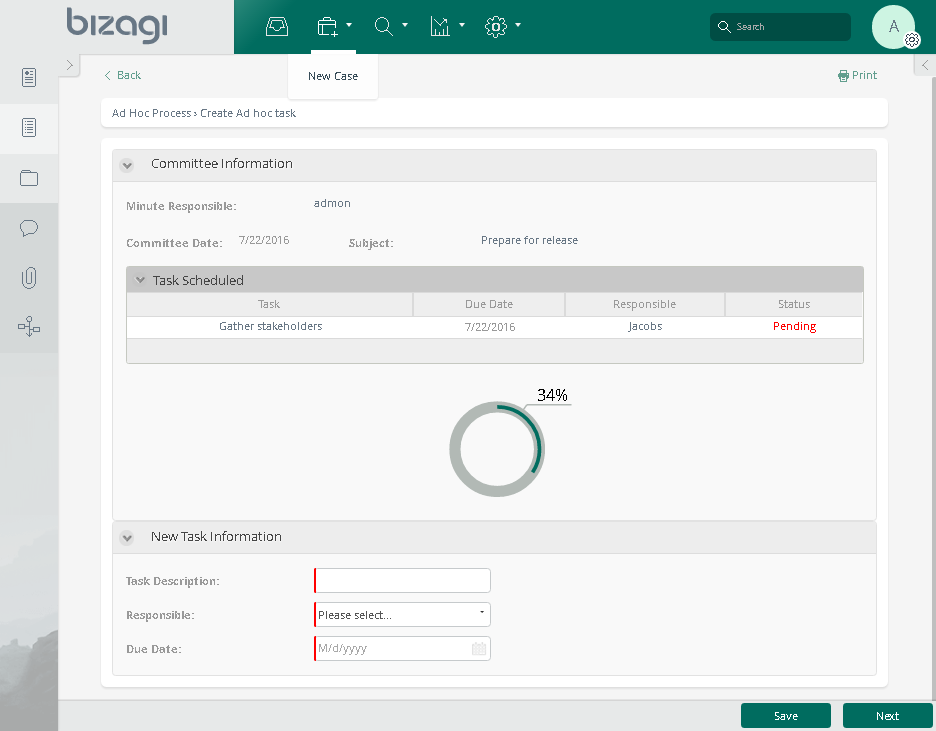
The Progress Circle widget for Bizagi is available for download at Bizagi Widget Xchange.
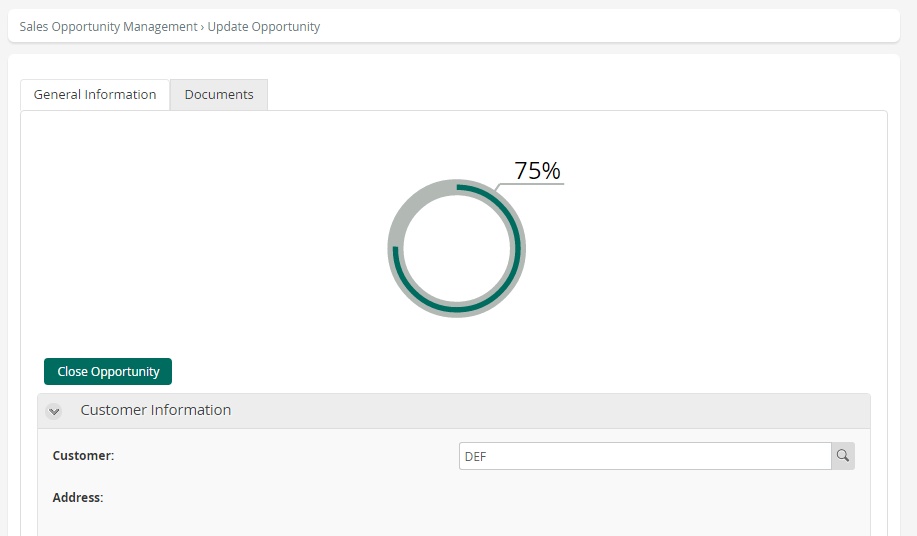
This widget enables you to present a circular chart that visualizes a selected statistic within your processes.
Before You Start
To test and use this widget, you will need:
1.Bizagi Studio previously installed.
2.This widget installed, either by following the steps in the Bizagi Widget Xchange article or the Widget Management article.
Data Model Considerations
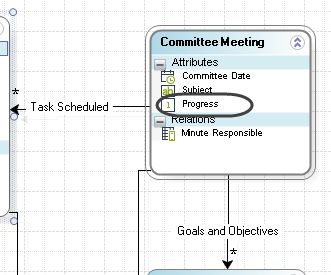
To use this widget, your data model must include:
•A Integer type attribute which holds the percent statistic you want to display.
Properties Configuration
To configure this widget after installation, add it to any Form and set its properties in the Forms Designer, just as you would for any other Bizagi control. The widget is available in the Charts section of the Controls tab.
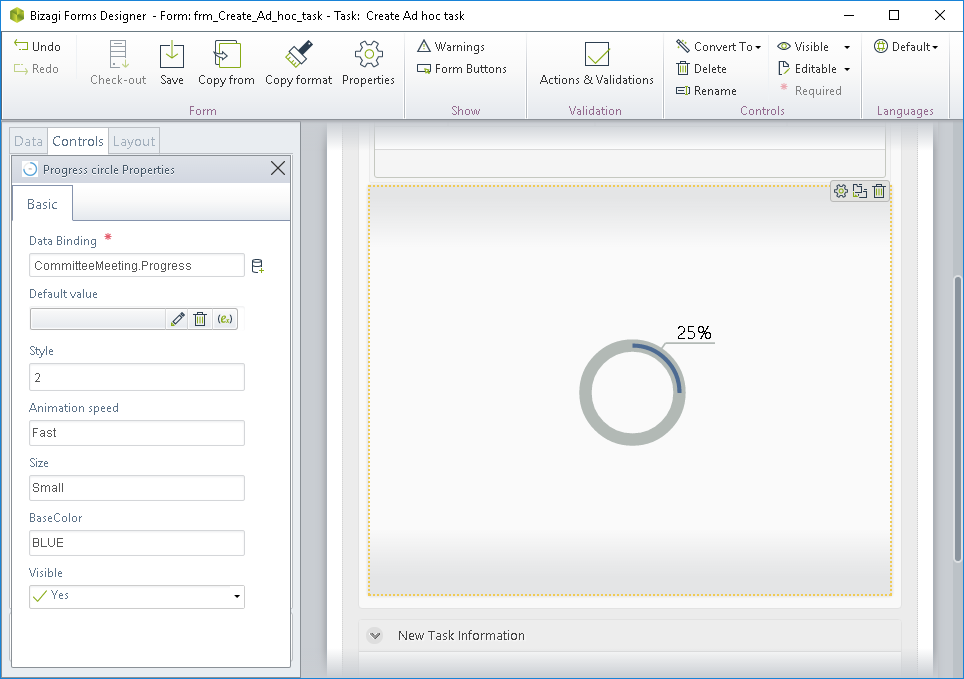
Consider the following properties:
PROPERTY |
POSSIBLE VALUES |
DEFAULT VALUE / SUGGESTED |
|---|---|---|
Data binding |
An Integer type attribute representing the percentage information. You may use a default value setting. |
Not applicable. This property is mandatory. |
Style |
A number from 1 to 4 representing the 4 different preset styles of the chart. |
1 |
Animation speed |
A setting indicating the speed the chart uses to fill itself with progress. Possibilities are: •Slow •Medium •Fast •None |
Medium |
Size |
A setting indicating the overall size (height and width) the chart takes up. Possible values are: •Small •Medium •Large •Fit (width=100%) |
Medium |
Base color |
The base color (for the fill of the chart and other elements) of the chart. Possibilities are: Green, yellow, brown, white, blue or red. |
Green |
|
All Bizagi controls and widgets include a Visible property that lets you define whether the control should appear in a given form (e.g., by applying a Business rule). This widget is designed to be Read-only |

For more information about this widget’s capabilities—including options for customization or extension—refer to the documentation of the underlying jQuery plugin at https://jquery-plugins.net/circliful-jquery-circle-statistics-plugin.
Watch It in Action
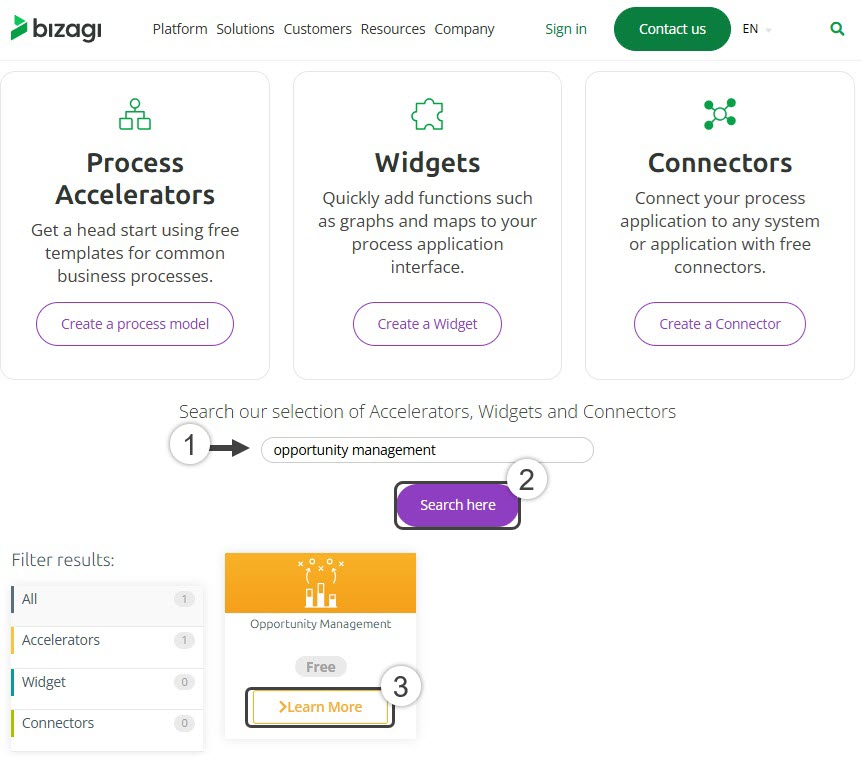
The Opportunity Management process available in Bizagi Process Xchange already includes a fully functional Progress Circle widget. You can import this accelerator into your project by following the steps outlined in the Process Central article.
Last Updated 1/19/2026 9:32:29 AM