Overview
The Field narrator widget is available for download from Bizagi Widget Xchange.
This widget allows you to add voice narration that reads aloud the names of editable fields in your Forms.
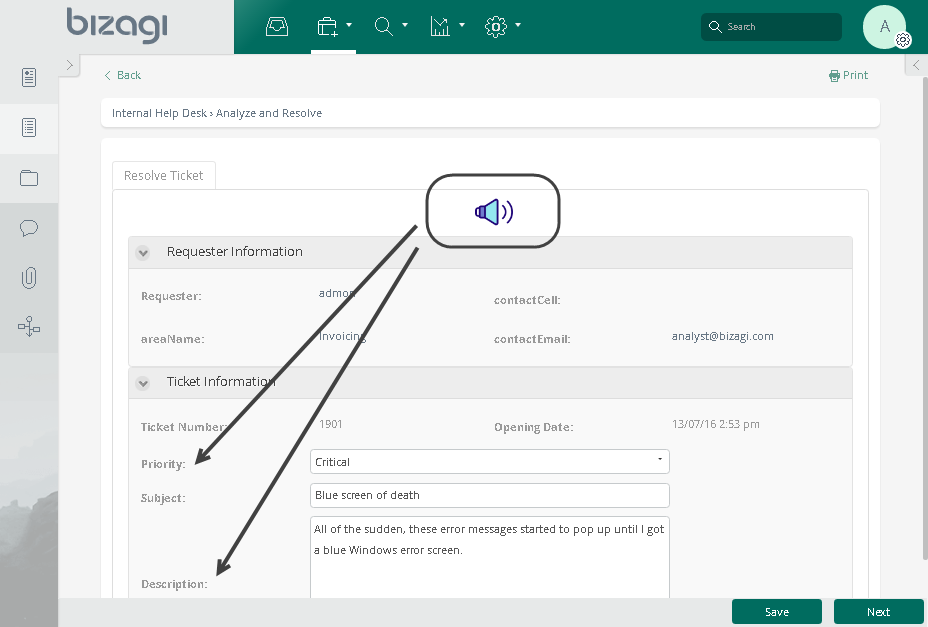
When this widget is included, once the end user focuses on a field (e.g., by clicking on it) that needs to be filled out, the narrator will read aloud: “Field [name_of_the_field]", of type "[data_type]".
For example, in the image above, clicking the Subject text field would trigger the narration: “Field "Subject", of type "text"".
Before You Start
To test and use this widget, you will need:
1.Bizagi Studio previously installed.
2.This widget installed, either by following the steps in the Bizagi Widget Xchange article or the Widget Management article.
Data Model Considerations
To use this widget, no specific configuration in your data model is required (no additional attributes needed).
Properties Configuration
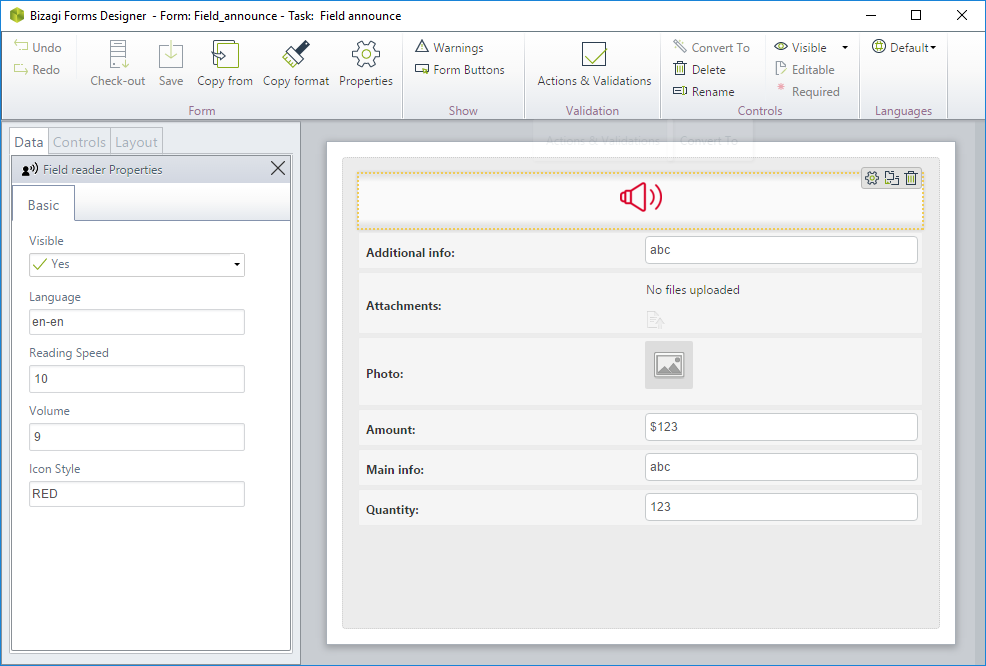
To configure this widget after installation, add it to any Form and set its properties in the Forms Designer, just as you would for any other Bizagi control. The widget is available in the Peripheral devices section of the Controls tab.
|
It is very important to place this widget either as the first control in your Form or as the last one. Remember that you can use the Icon Style property, as described below, to define whether it is visually displayed or hidden. |

Consider the following properties:
PROPERTY |
POSSIBLE VALUES |
DEFAULT VALUE / SUGGESTED |
|---|---|---|
Language |
Allows you to define the language used by the narrating voice. |
en-en |
Reading speed |
Allows you to adjust the narration speed for reading aloud. |
(none) |
Volume |
Allows you to customize the volume level when the narrator voice reads out loud. |
9 |
Icon Style |
Define if you wish for an icon to show up in the Form. Possible values are: •NONE •RED •GREEN •BLACK •COLORFUL |
BLACK |
|
All Bizagi controls and widgets include a Visible property that lets you define whether the control should appear in a given Form (e.g., by applying a Business rule). Other properties, such as Required or Editable, do not apply to this widget. |
Last Updated 1/19/2026 8:50:08 AM