Overview
The Audio Player widget for Bizagi is available for download from Bizagi Widget Xchange.
This widget allows you to embed and play audio files, such as MP3s, directly within your processes.
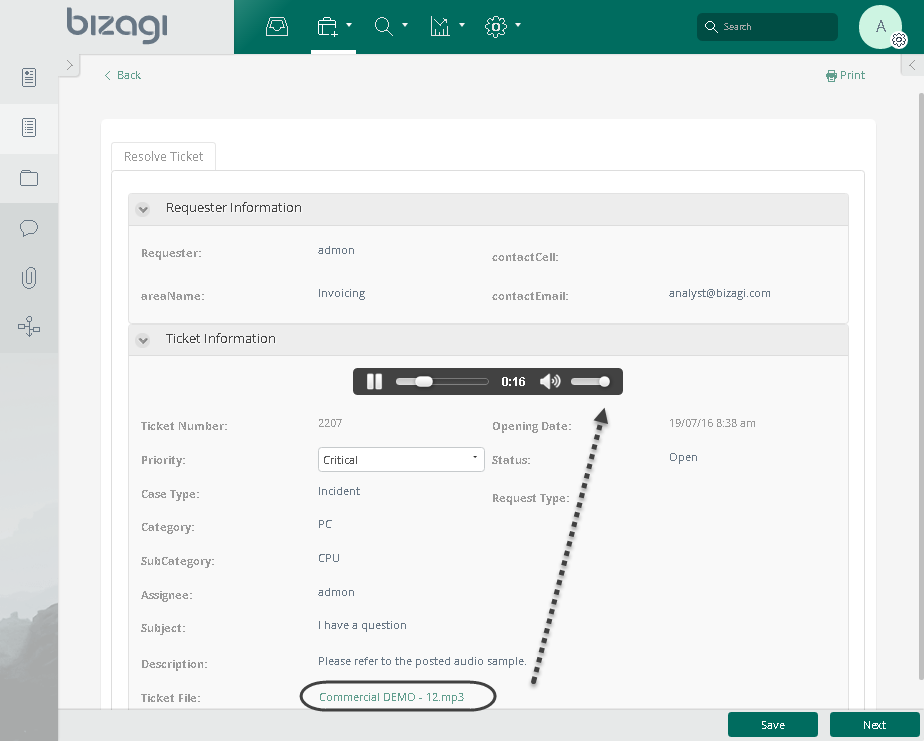
Before You Start
To test and use this widget, ensure you have:
1.Bizagi Studio installed on your system.
2.This widget installed, either by following the steps in the Bizagi Widget Xchange article or the Widget Management article.
Data Model Considerations
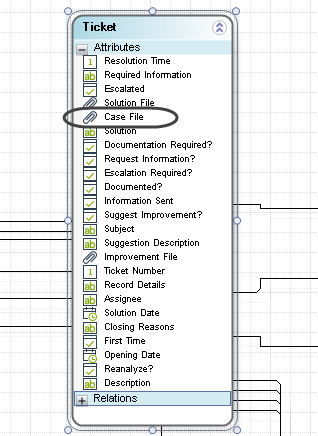
To use this widget, your data model must include:
•A file-type attribute that stores the audio file you want to play back.
Properties Configuration
To configure this widget after installation, add it to any Form and set its properties in the Forms Designer, just as you would for any other Bizagi control. The widget is available in the Media section of the Controls tab.
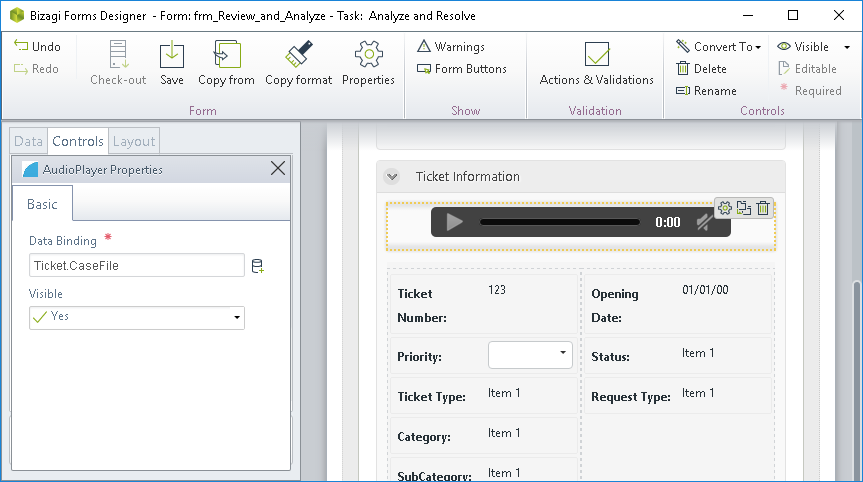
Consider the following properties:
PROPERTY |
POSSIBLE VALUES |
DEFAULT VALUE / SUGGESTED |
|---|---|---|
Data binding |
A file type attribute which holds the attached audio clip. |
Not applicable. This property is mandatory. |
|
•All Bizagi controls and widgets include a Visible property, which lets you define whether the control should appear in a given Form (for example, by applying a Business rule). •This widget is read-only. |

Last Updated 1/19/2026 8:38:02 AM