Overview
As your business grows, managing the increasing number of daily bills can become a complex and critical task. Errors or delays in processing invoices can lead to serious issues, such as late payments, incorrect payments, and missed discounts. To address these challenges, Bizagi offers the Accounts Payable process, designed to streamline the receipt, validation, and approval of invoices—reducing processing time and minimizing errors. The diagram below illustrates the Accounts Payable process.
•The Accounts Payable process begins when an invoice is received.
•The invoice must be linked to the corresponding Purchase Order, and key details such as the Invoice Number, Due Date, and the scanned invoice file must be entered.
•To prevent incorrect payments, it is essential to verify that the invoice’s products, prices, taxes, and dates match the Supplier agreement.
•In some cases, the applicant’s approval is required—either because it was requested during the Purchase Request or by the person reviewing the invoice. When this occurs, an approval task will be assigned to the Applicant.
•Finally, the accounting entry is completed through company’s ERP system's interface.
To install this accelerator in your project, follow the steps outlined in the Process Xchange article.

Return Invoice to Supplier sub-process
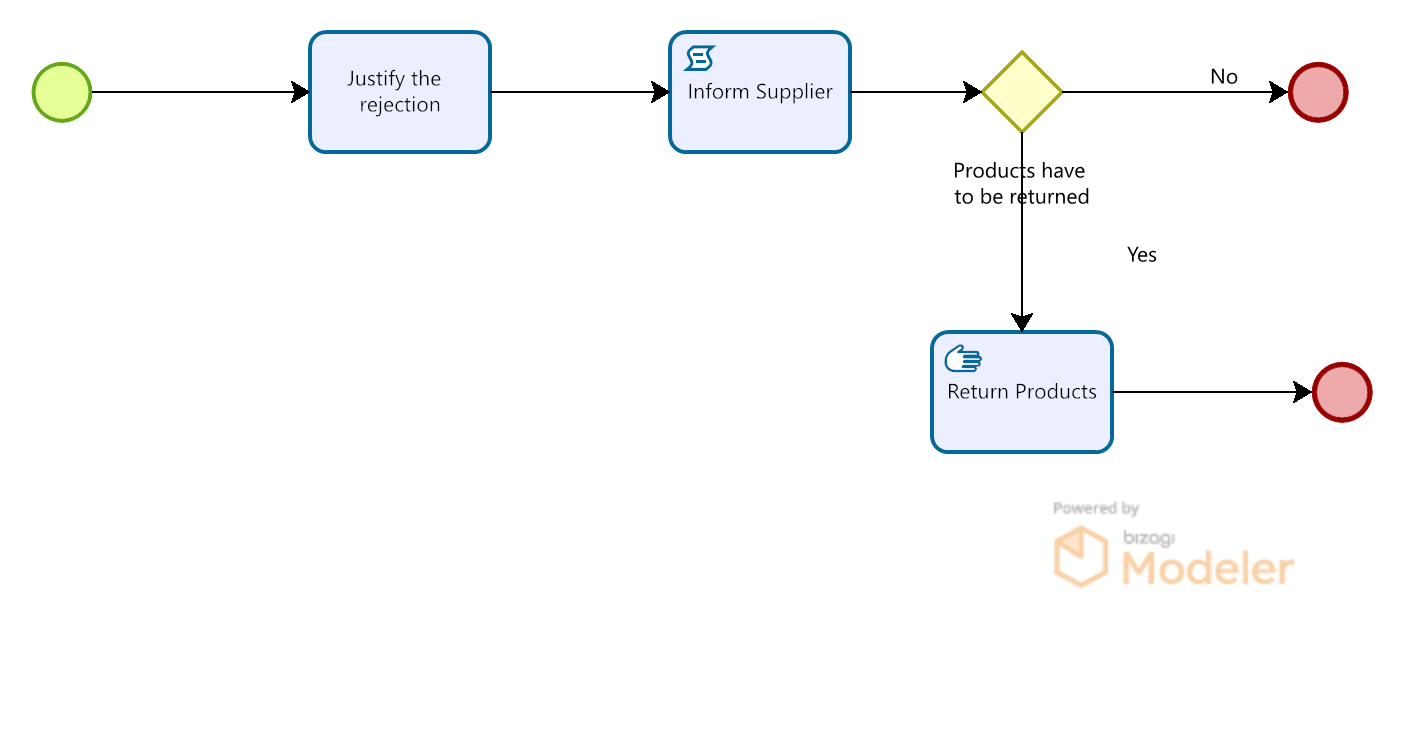
The Account Payable process seeks to avoid paying incorrect invoices, if the Invoice has incorrect information or the products or services invoiced do not meet the requirements, the Invoice, and the Products (if necessary) must be returned to the Supplier. The return is made through the Return Invoice to Supplier sub-process, which is shown below:
Bizagi Modeler Process Description (BPM)
The complete documentation of this process can be found within its Bizagi Modeler file (.bpm). From there, you can generate a Word document with all its information.
Data Model
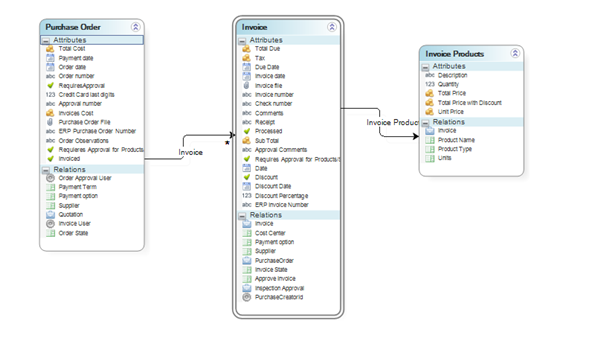
To ensure a smooth information flow, the Business Process entity is defined as Invoice. Its main attributes include: Invoice Products, Total Cost, Taxes, Invoice Number, Purchase Order, Cost Center, Supplier Information, Payment Options, Payment Terms, Due Date, and Discount Information.
•The Invoice entity has relationships with the Purchase Order and Invoice Products entities.
•An invoice can contain multiple products; therefore, it has a one-to-many relationship (a collection) with Invoice Products.
•Each invoice is directly associated with a single Purchase Order.
Parameter Tables
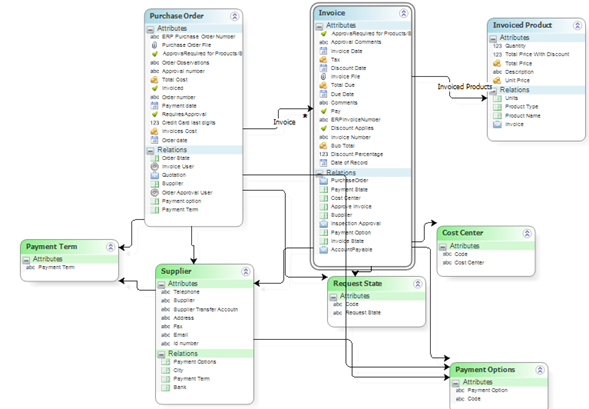
The process provides access to frequently used information through Parameter Tables, such as Supplier Information, Payment Options, Payment Terms, or Cost Center.
•Each Parameter Table contains essential data. For example, the Supplier entity stores all details about the company’s suppliers, including address, telephone number, email, and payment options. All suppliers must be registered in the Supplier entity to be used in the process; if they are not, an administrator must create them.
•Payment Options and Payment Terms define the company’s various payment agreements.
•Finally, the Cost Center table includes all of the company’s cost centers.
Define Forms
The Invoice Payment process uses several forms that will help you manage your process information.
Receive Invoice Form
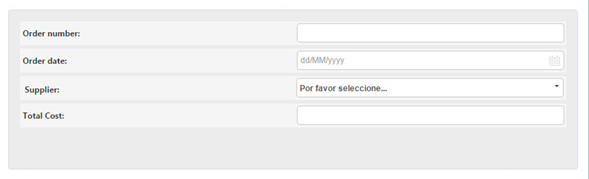
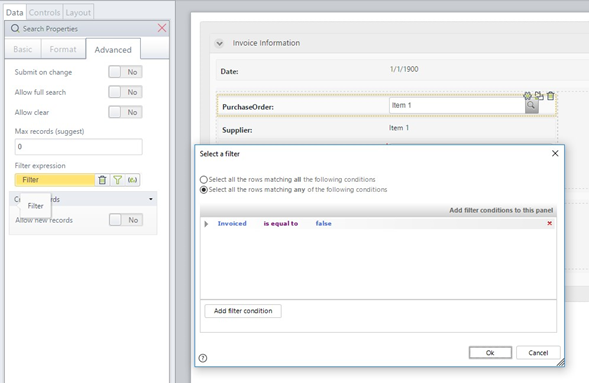
The first task Form includes a Join Search Dialog called Purchase Order, which enables the user to search for the received invoice by several search criteria such as: Order Number, Order Date, Supplier, Amount.
The search Form contains four renders:
Only the unpaid Purchase Orders are shown.
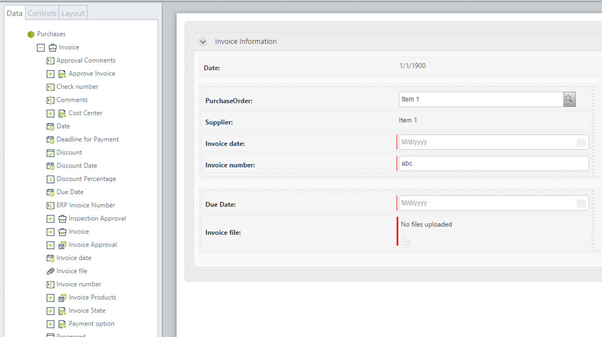
Invoice Number, Due Date and Invoice File renders are required.
Validate Invoice Form
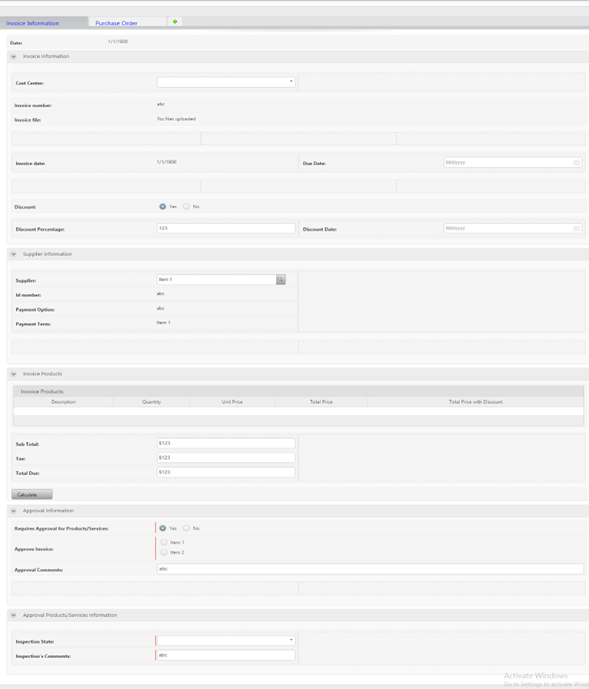
The Validate Invoice Form includes four groups:
1.Invoice Information: Record date, Invoice Number, Invoice Date, Payment Options, Cost Center, and discount information.
2.Supplier information: Name, Id, Payment Options.
3.Invoice Products: Quantity, Unit Price, Total Price.
4.Approval Information.
The data can be entered to the Form in two ways. If the Invoice has been associated with a Purchase Order, the Invoice information is loaded automatically. If not, all the information is entered by the user.
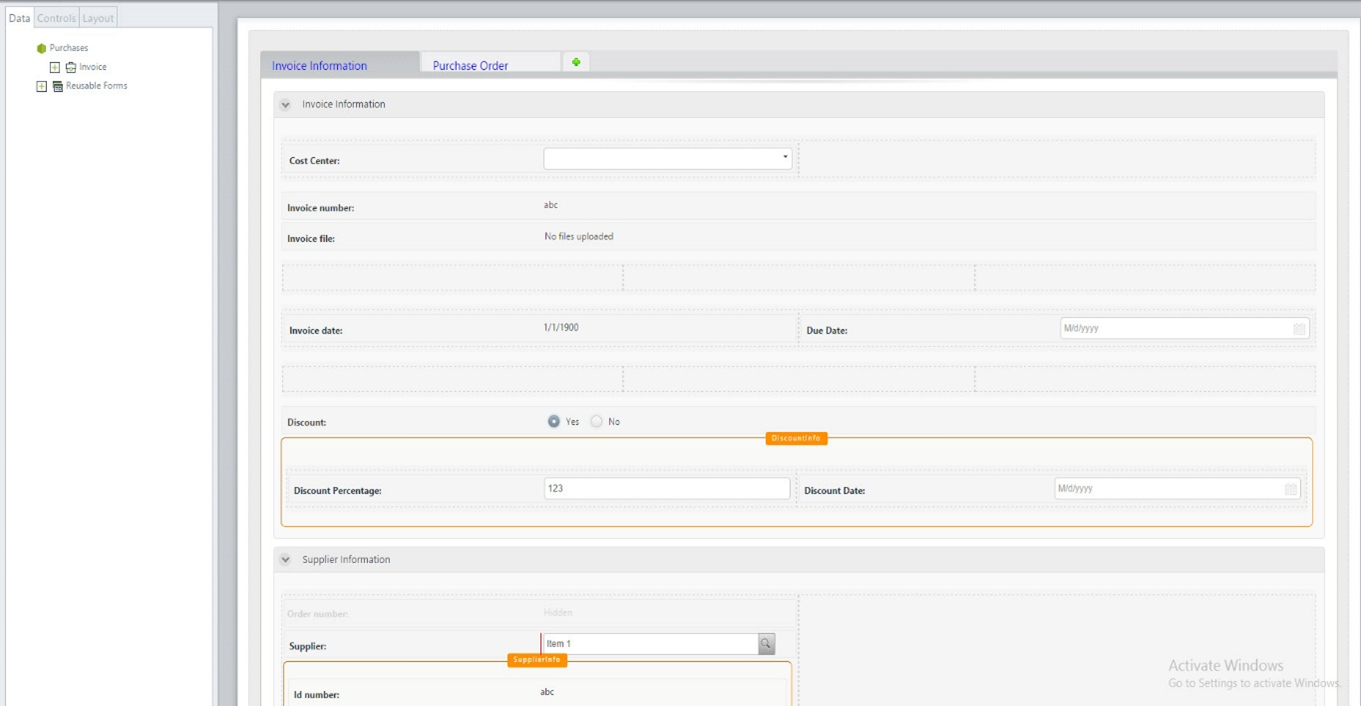
The Form includes two tabs. The first shows the Invoice information and the second the Purchase Order information. If the Invoice does not have a Purchase Order, the second tab is not visible.
A button is used to calculate the Total Cost and the Tax. The renders are editable for the necessary changes.
Note: If a different tax base is required, it can be modified because the fields are editable.
Approve Products and Services
The Approve Products/Services Form includes all the invoice information as non-editable. The Approval Invoice and Approval Comments are required.
Business Rules
Define Expressions
The process uses exclusive Gateways to indicate the process work flow.
The first Gateway checks if the Invoice can continue the process or if it’s necessary to return the Invoice to the supplier. If the Invoice data is correct the Invoice goes to the next Gateway.
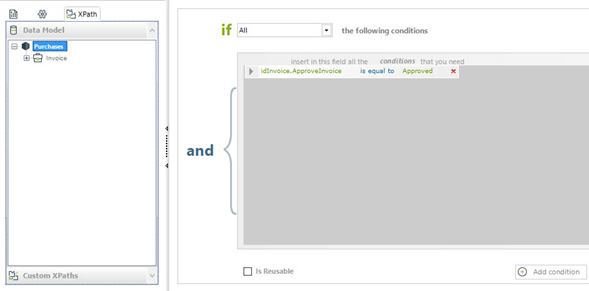
The second Gateway validates if the products or services need the applicant's approval. If this occurs, the case will be assigned to the Purchase Request Applicant; otherwise, it should upgrade the company's ERP.
If the Invoice is not related to any Purchase Order, the Approval Products/Services activity is not available.
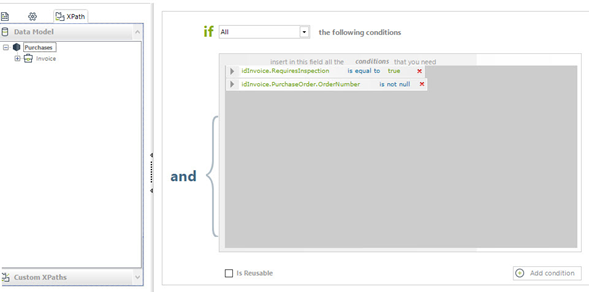
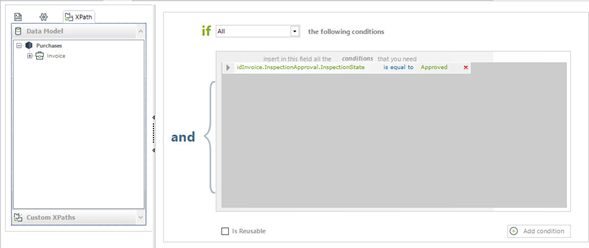
The last Gateway evaluates if the products must be returned to the supplier, if this is not necessary, the case ends.
Activity Actions
The process includes several business rules; the most important ones are:
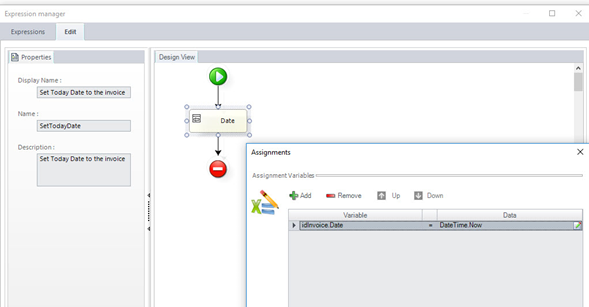
Set Today as Date of Record, the rule is executed On Enter in the Receive Invoice task.
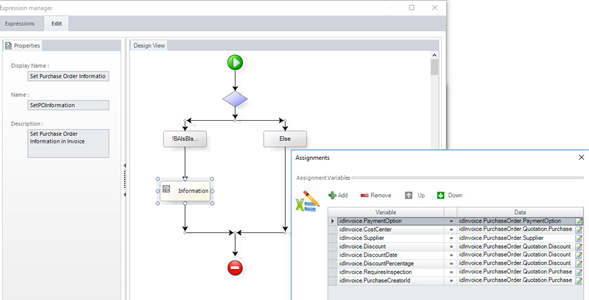
If the Purchase Order Render is completed, the Purchase Order is automatically linked to the corresponding Invoice, and vice versa. Additionally, the Cost Center, Supplier details, and discount information are populated automatically.
The rule only applies when the Invoice is associated with a Purchase Order.
The rule is executed On Enter in the Validate Invoice task.
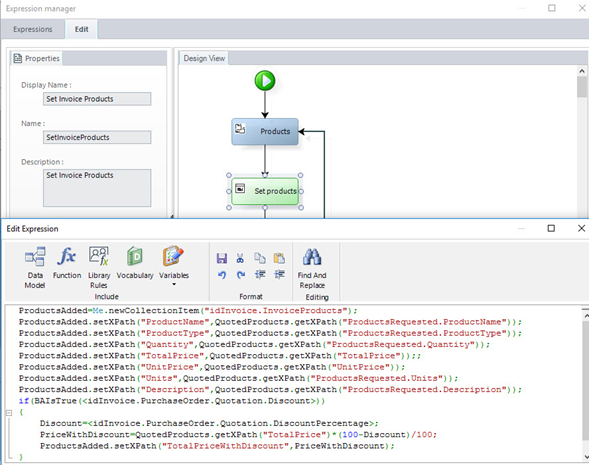
When the Purchase Order exists, the Quoted and Purchased Products must be included in the Invoice as Invoice Products.
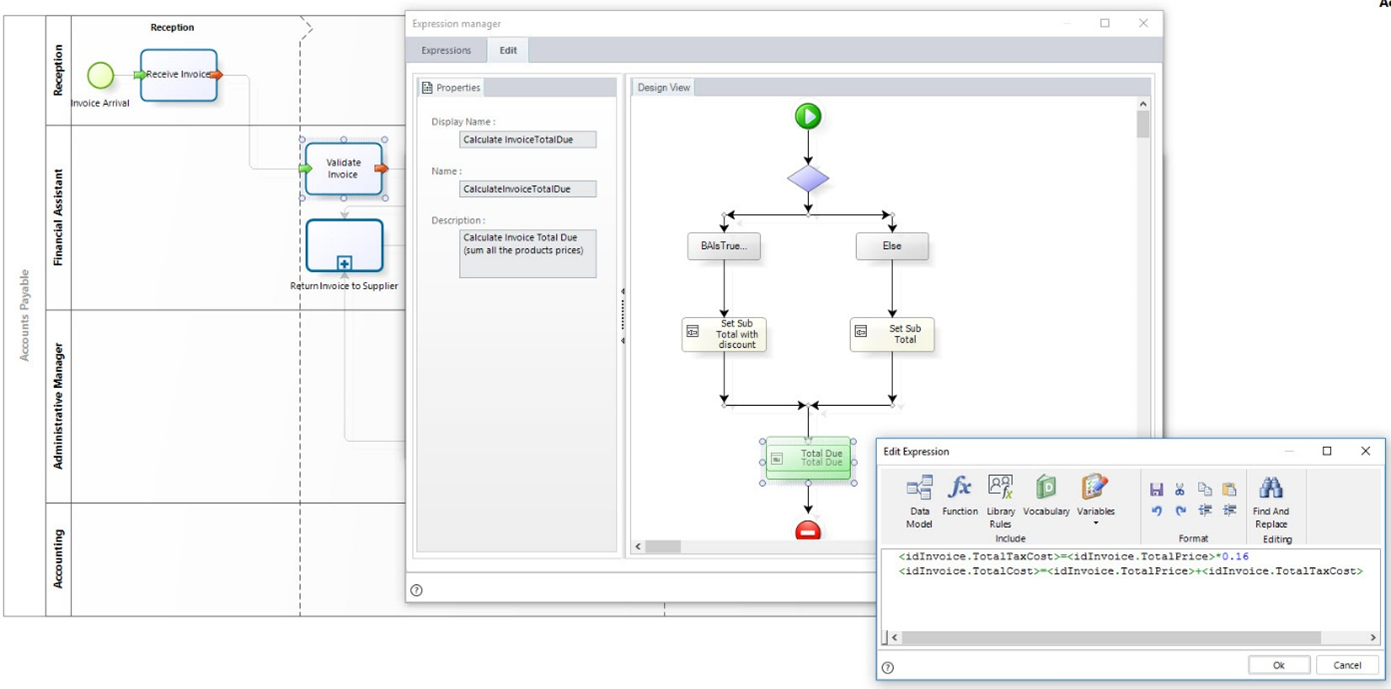
If a discount is available, the Total Cost is calculated applying the Discount. If not, the Rule does not apply.
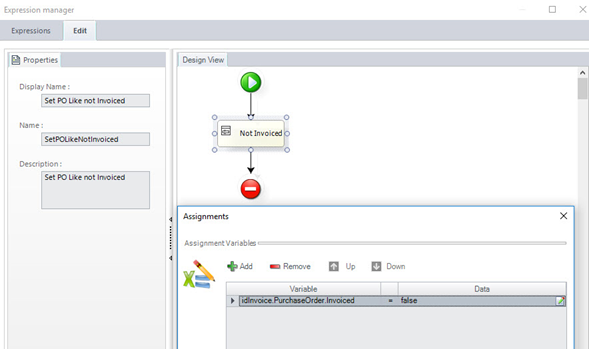
The last rule is executed On Exit in the Justify the Rejection task. This rule set the Purchase Order as not Invoiced, because it is necessary that the Purchase Order is available for future searches.
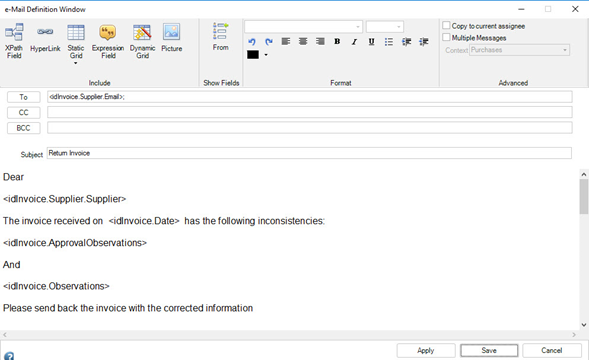
In the Inform Supplier task, an E-mail is sent to the Supplier with the rejection justification of the Invoice
Performers
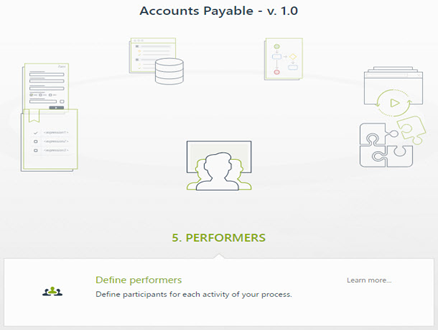
Use the Wizard to define the performers in the process. In fifth step of the Wizard, click Define Performers.
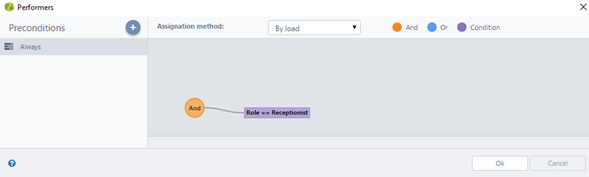
In the first activity, the assignees will be the person with Receptionist role.
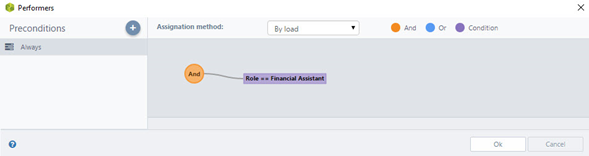
The Validate Invoice, Justification of the Rejection and Return Products tasks are performed by the person with Financial Assistant role.
The Approval Products/Services task is performed by the person who made the Purchase Request.
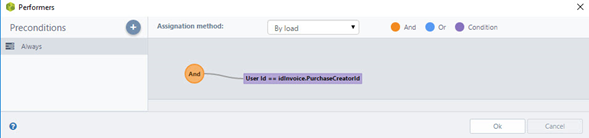
All performers and business rules of the process can be configured according to your company's needs.
Integrate
The process includes one automatic task, Update Financial ERP. Updating is performed via an interface.
Last Updated 1/19/2026 10:14:58 AM