Overview
Bizagi supports integrating REST services through two alternatives, as described in Invoking REST services.
The first alternative, and the recommended one, is through the use of Bizagi connectors.
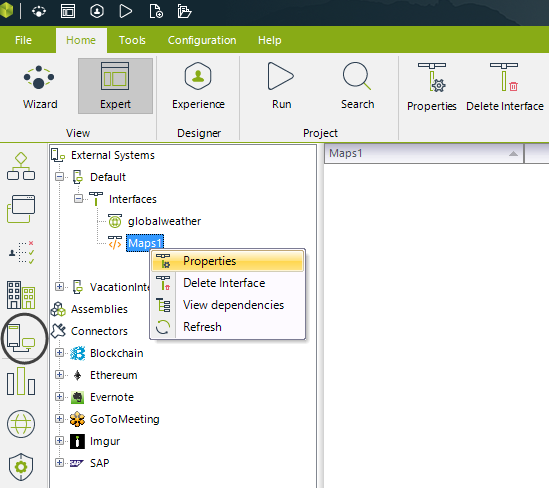
When considering the second alternative, which involves the use of the Bizagi Web services connector, review the advanced configuration options available through the Expert view under the listed External Systems.
RESTful configuration notes
The following notes affect how external REST services are invoked from Bizagi.
1. Using HTTP basic authentication
You may include user credentials if the REST service requires authentication.
These credentials include a username, password, and an optional domain for HTTP Basic Authentication.
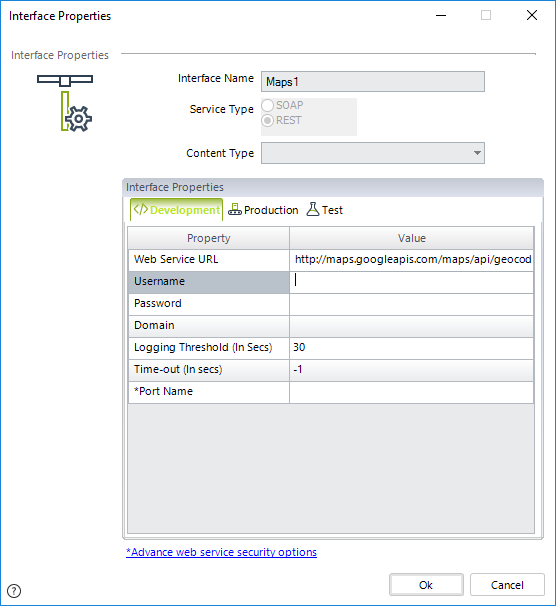
Recall that this information is entered in the interface configuration available in the Systems module.
2. Interface values per environment
You may update your REST service interface configuration at any time should the service change its server.
The interface administration options allow you to edit the Base URL domain or the credentials used for authentication (domain, username, and password).
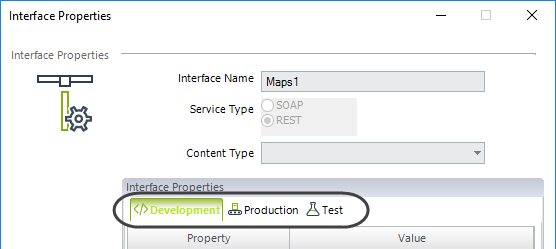
This can also be done directly from the Management Console for each project environment (Test or Production).
3. URL administration
Whenever the Base URL of a REST service invocation is edited through the Interfaces wizard (Development environment), Bizagi handles the change as follows:
•If the domain portion of the Base URL is edited, Bizagi treats it as a minor change involving the server that provides the service, rather than as a new interface. This means that a different mapping configuration is not required.
•If the portion following the domain in the Base URL is edited, Bizagi treats it as a new interface configuration, different from the previous one. This requires reviewing the mapping to ensure that the corresponding parameters are correctly configured.
•Any modification to the service URL is treated as a new interface configuration, different from the previous one. This behavior follows the validation rule in the Systems module, where the service URL for a REST service interface cannot be edited. Similar to the previous scenario, it requires reviewing the mapping configuration.
4. Sending headers (content-type)
Whenever Bizagi sends information to a RESTful service, it includes information in the HTTP content-type header that specifies the data format being sent.
By default, Bizagi sends the content-type as text/xml (for POST and PUT HTTP methods). However, you may modify this setting.
You can specify a different content-type from those available in the drop-down list.
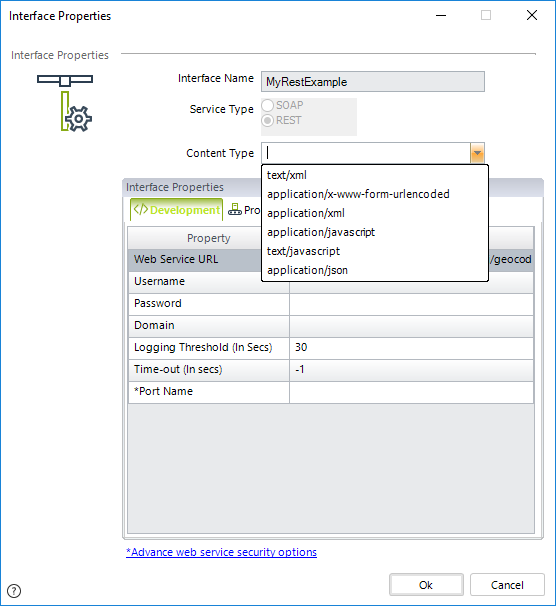
Recall that to do this, you must configure or edit the interface, or edit it from the Expert View by right-clicking the interface and selecting Properties.
Further header customizations are not supported by the Web services connector. To manage headers beyond the content-type header, you must use Bizagi connectors.
5. URL maximum length
REST service requests are usually subject to URL length limits supported by browsers. Most modern browsers support URLs up to approximately 2,000 characters in length. Therefore, it is good practice to keep URLs short and concise to ensure compatibility across different systems.
Last Updated 9/1/2026 2:31:01 PM