Overview
Bizagi as a Kafka producer allows your processes to publish events to Kafka so that external systems can react to them.
Instead of invoking external APIs directly, Bizagi can emit messages to Kafka topics. These messages can then be consumed by one or multiple systems, enabling loosely coupled integrations and event driven communication.
By publishing events generated during process execution, Bizagi can act as a source of information for connected systems, allowing them to respond to business events as they occur.
How production works
When Bizagi acts as a producer, it sends messages to Kafka using a connector.
The flow is straightforward:
1.A process reaches a point where information needs to be shared
2.A task invokes the Kafka connector through an Activity action
3.The connector sends the message to a Kafka topic
4.Kafka distributes the message to all subscribed consumers
Once the message is sent, Kafka is responsible for its delivery. Bizagi does not manage or control how external systems consume that message.
Configuring the Kafka connector in Bizagi Studio
To publish events, you must configure a Kafka connector in Bizagi Studio. This connector defines how Bizagi connects to Kafka and what information is sent.
Getting the connector
You can obtain the Kafka connector from Bizagi Xchange or create one if needed.
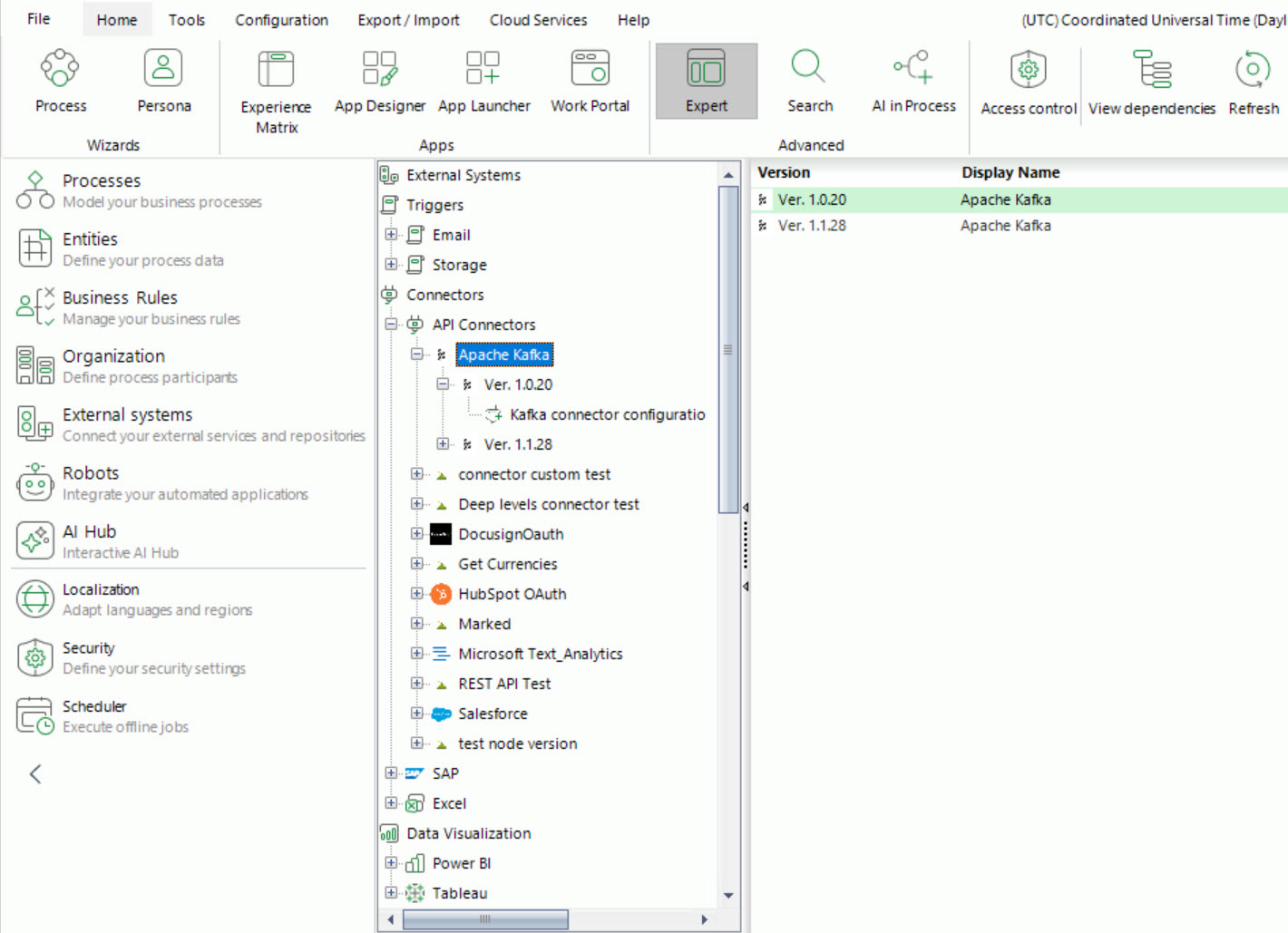
Once imported, the connector behaves like any other integration connector and can be used inside your processes.
Configuring the connection
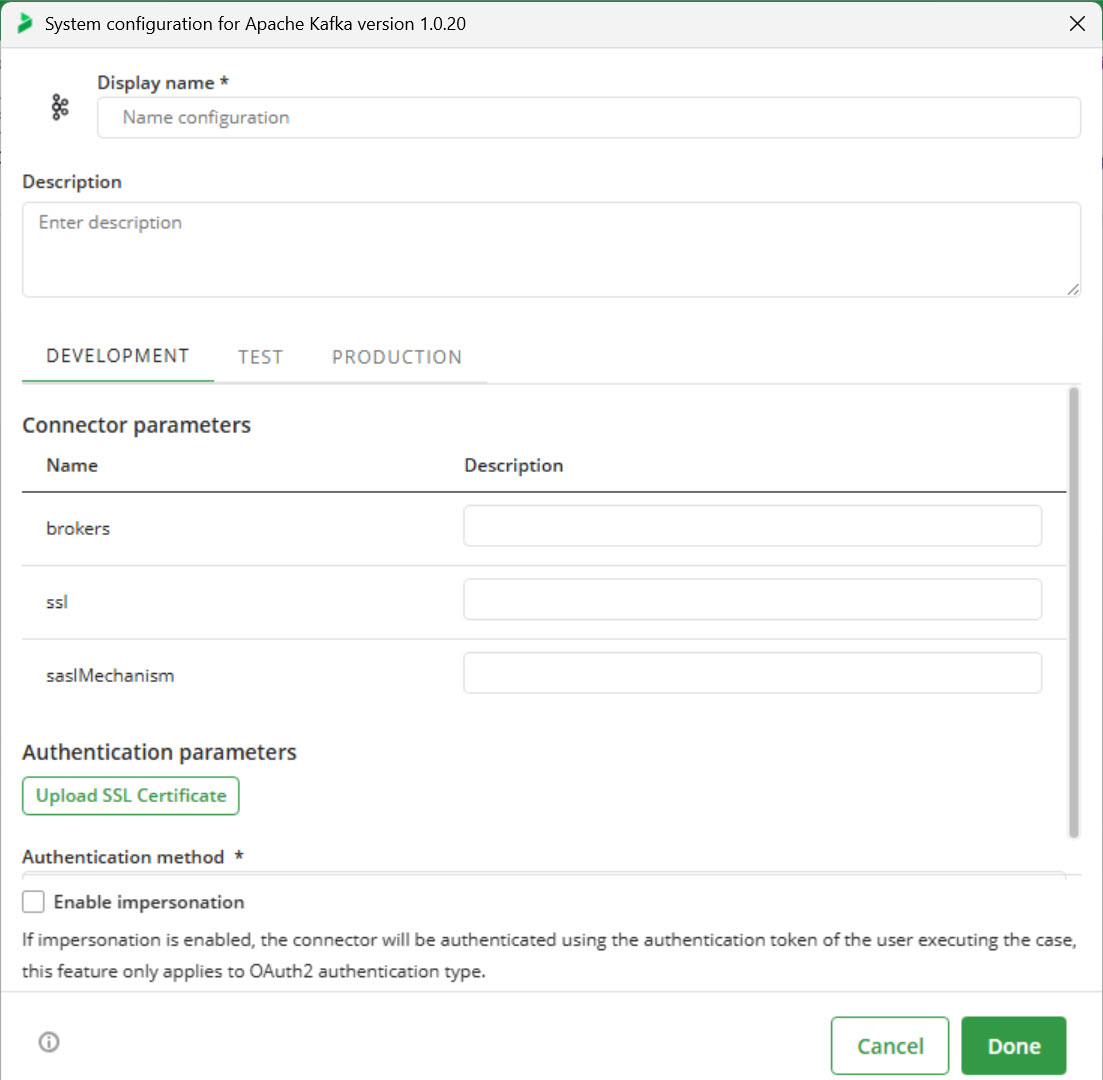
Before using the connector, you must define how it connects to Kafka.
In the connector configuration, provide:
•The Kafka broker address
•The security protocol
•Authentication credentials
•SSL configuration if required
|
This configuration is environment specific, meaning each environment (Development, Test, and Production) must have its own connection settings. |

Using the connector in a process
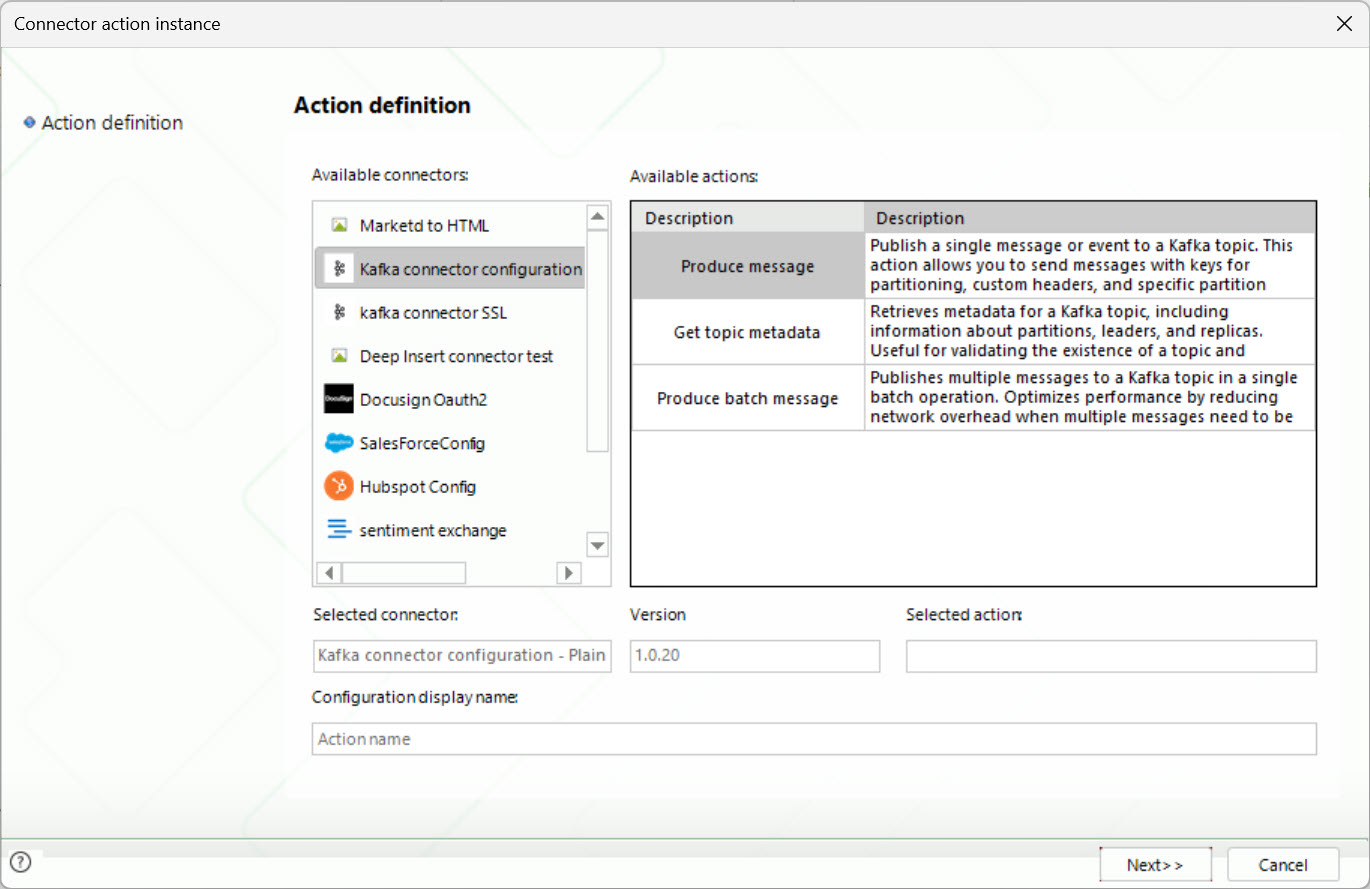
To publish an event, you use an Activity action within a task in your process.
1.Configure an Activity action
2.Select the Kafka connector
3.Choose the action Produce message
4.Map process data to the connector parameters
At this point, you define the content of the message that will be sent to Kafka.
Message configuration
When sending a message, the connector requires certain inputs.
The most important ones are:
•Topic: The Kafka topic where the message will be sent. This must already exist in Kafka.
•Message: The content of the event. This is typically built using process data.
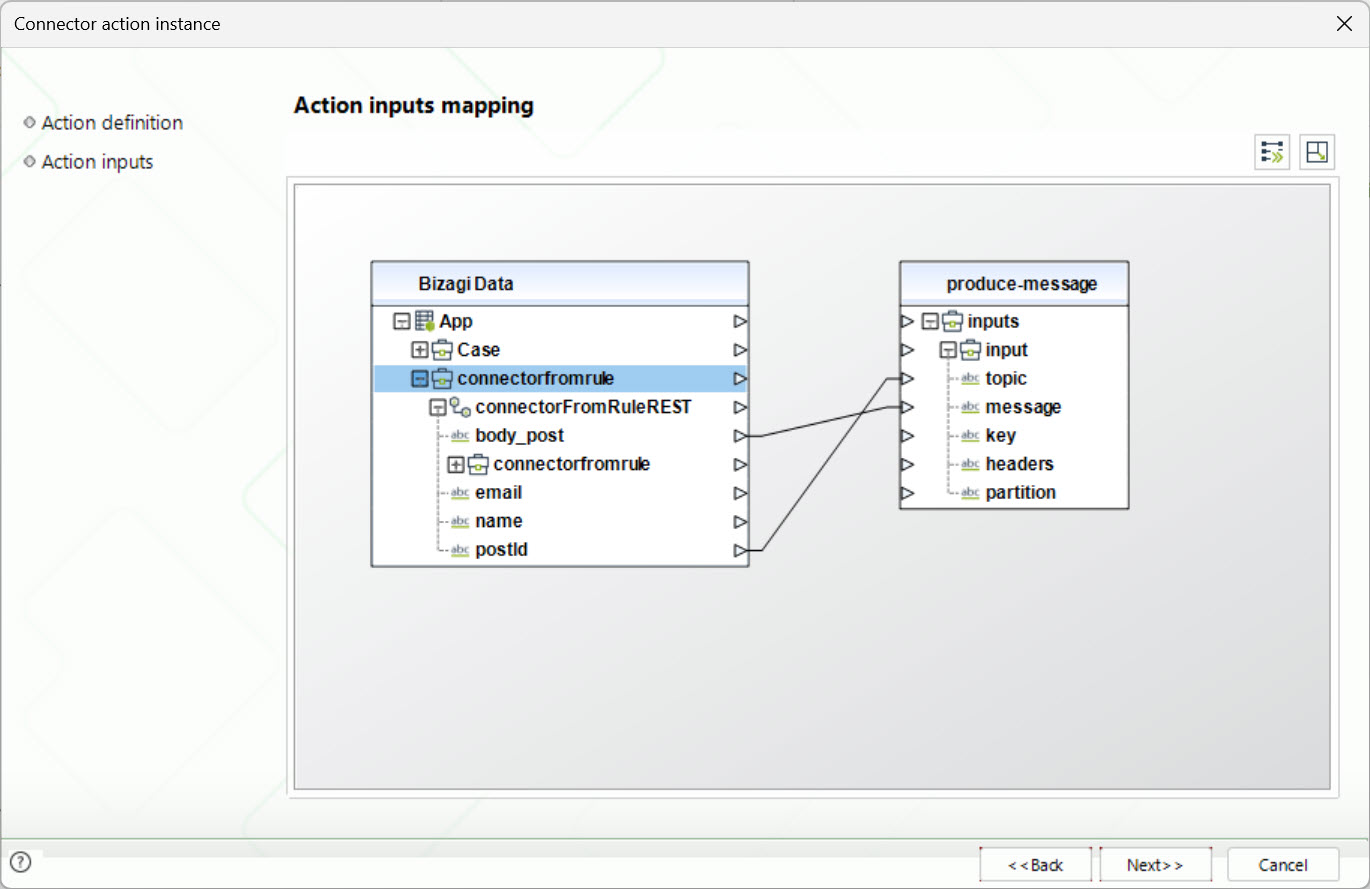
You may also define optional values such as:
•A key to identify the message
•Headers
•A specific partition
In most cases, only the topic and the message are required.
Message structure
Kafka does not enforce a specific message format. You can send any type of content.
Common formats include JSON, XML, or plain text.
However, it is essential that the systems consuming the message understand its structure. For this reason, there must be an agreed format between the producer and the consumers.
In most scenarios, JSON is preferred because it is easy to construct and process.
Environment behavior
The Kafka connector must be configured separately in each environment.
When a process runs:
•In Development, it sends messages to the Kafka broker configured for Development
•In Test, it uses the Test configuration
•In Production, it uses the Production configuration
This ensures that messages are sent to the correct environment without interfering with other setups.
Unlike the consumer configuration, there is no Management Console interface to control message publishing. Execution is driven entirely by the process.
Runtime behavior
Messages are sent immediately when the Activity action is executed.
Kafka handles message storage, distribution, and delivery to consumers.
Bizagi does not track whether the message was consumed or what happens after it is delivered.
Error handling
If an error occurs while sending the message, the behavior depends on how the connector is used within the process.
Typically:
•The task will fail
•The process can handle the error using standard Bizagi mechanisms, such as error handling flows or retries
It is recommended to design your process to handle communication failures with external systems.
Typical scenarios
Producing events from Bizagi is useful when other systems need to react to actions performed within your processes.
For example:
•A process reaches an approval step and sends a notification event to external systems
•A case is completed and Bizagi publishes the result for reporting or analytics
•Bizagi sends updates that trigger downstream processes in other platforms
In these scenarios, Bizagi becomes an event source that feeds the rest of the ecosystem.
Combined scenarios
Bizagi can act as both a consumer and a producer at the same time.
For example:
1.An external system publishes an event to Kafka
2.Bizagi consumes the event and starts a case
3.The process evaluates the information
4.Bizagi publishes a new event with the result
This creates a continuous flow of information where Bizagi both reacts to and generates events as part of a larger architecture.
Example workflow
The following example illustrates a typical Kafka publishing scenario.
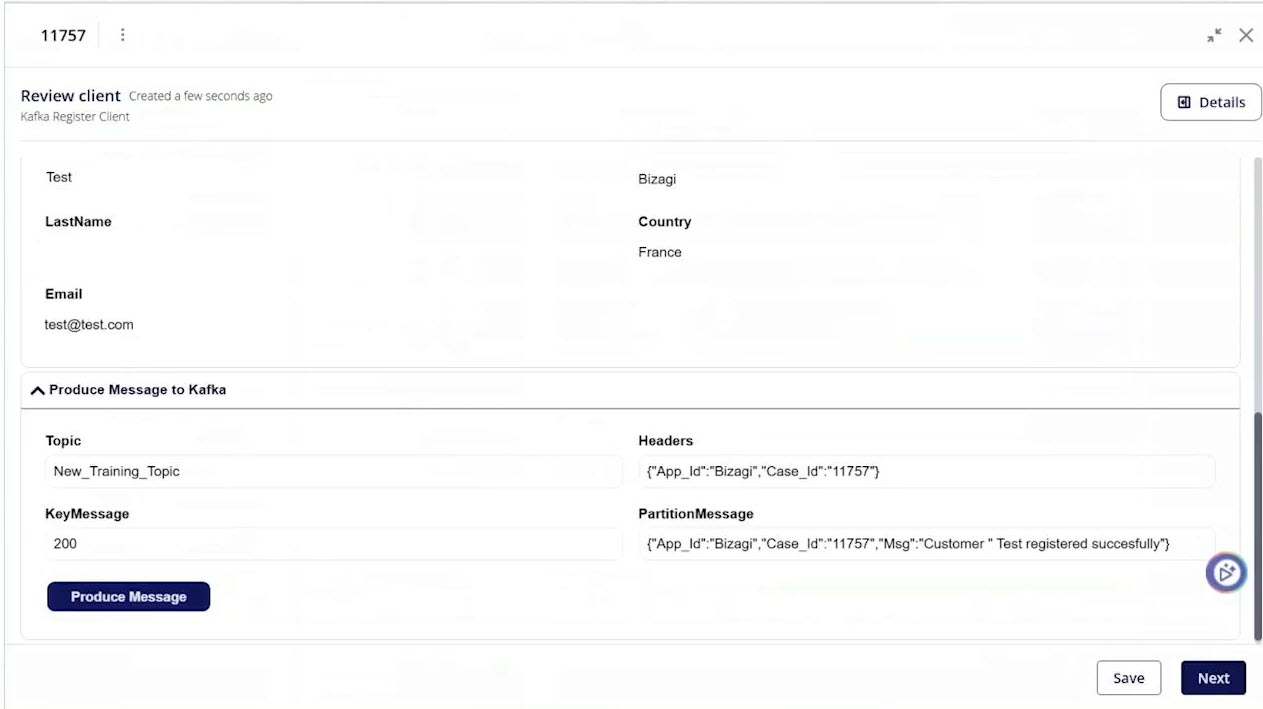
1. Bizagi publishes an event
A process reaches a task configured with the Kafka connector. The connector builds a message using process data and publishes it to the configured Kafka topic.
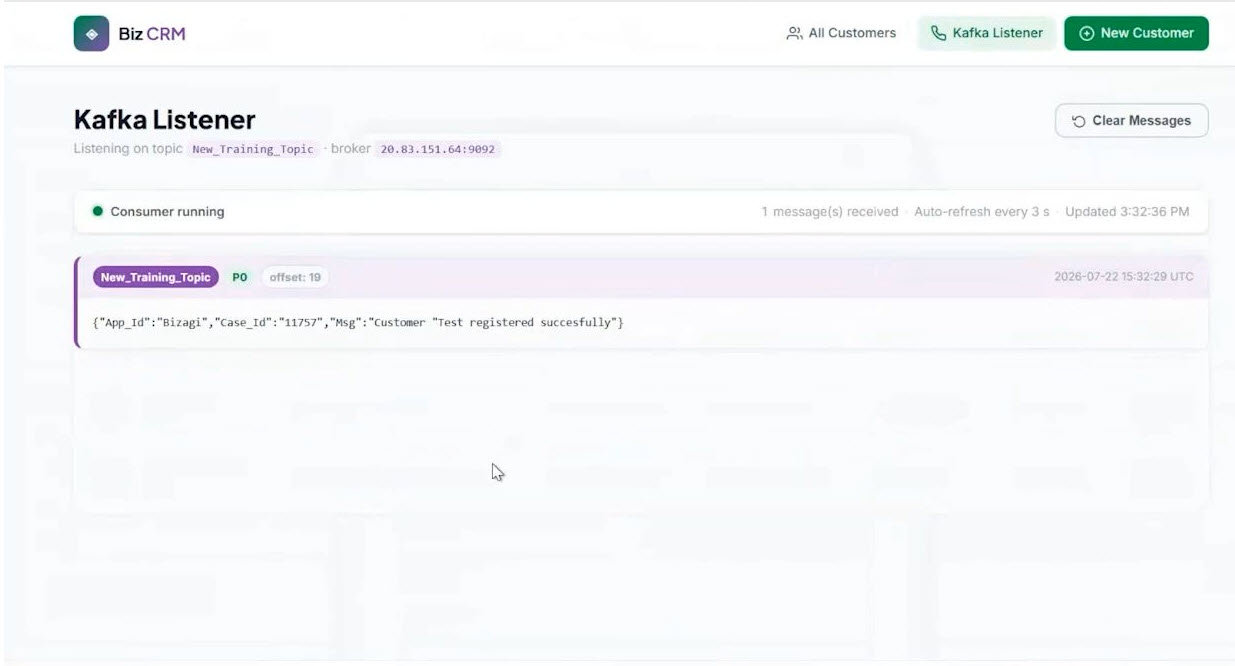
2. External application consumes the event
The external application receives the message from Kafka and processes the information according to its business requirements.
Last Updated 9/24/2026 8:33:12 PM