Overview
Object type output variables allow AI Agents to return data composed of attributes defined using simple data types or Object types. Attributes can be arranged hierarchically to represent structured data, while still supporting simple, flat configurations.
Object output variables support:
•Simple data types:
oBoolean
oDate
oNumber
oString
•Object data types with nested attributes.
•Attributes configured as either:
oSingle (a single value or object)
oList (a list of values or objects)
Nested Object structure
Object type attributes can be arranged hierarchically to represent structured data and nested structures support a maximum depth of three levels. This structure allows output data to be organized clearly across multiple levels within the same Object definition.
|
•Only attributes of type Object can contain child attributes. •Attributes of simple data types represent leaf nodes and do not contain child attributes. |

Creation of an Object output variable
To create an Object output variable from the configuration for the AI Agent, add a variable and select Object as type.
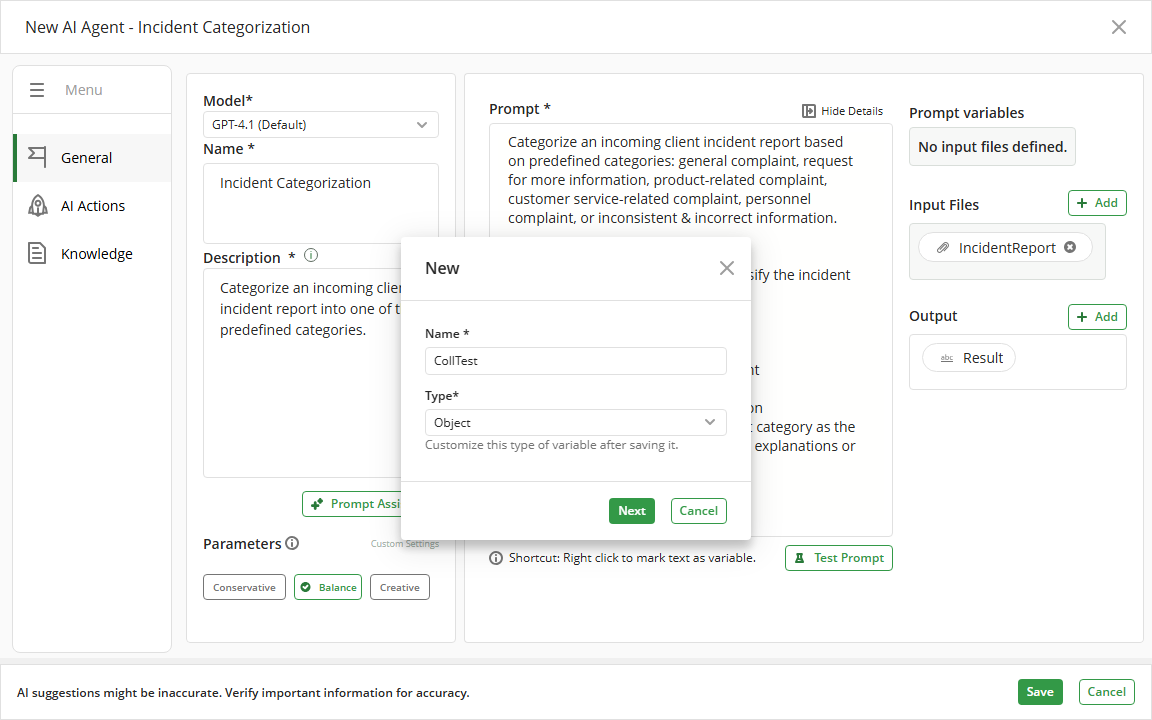
Define the attributes that will be part of the variable. Each Object can contain multiple attributes, and attributes with Object type can include their own child attributes.
Attribute configuration
When configuring an Object output variable, each attribute includes the following settings:
•Name: Defines the attribute name within the Object.
•Value:
oSingle: Represents a single value or object ({})
oList: Represents a list of values or objects ([])
•Type: Corresponds to one of the following options:
oBoolean
oDate
oNumber
oString
oObject
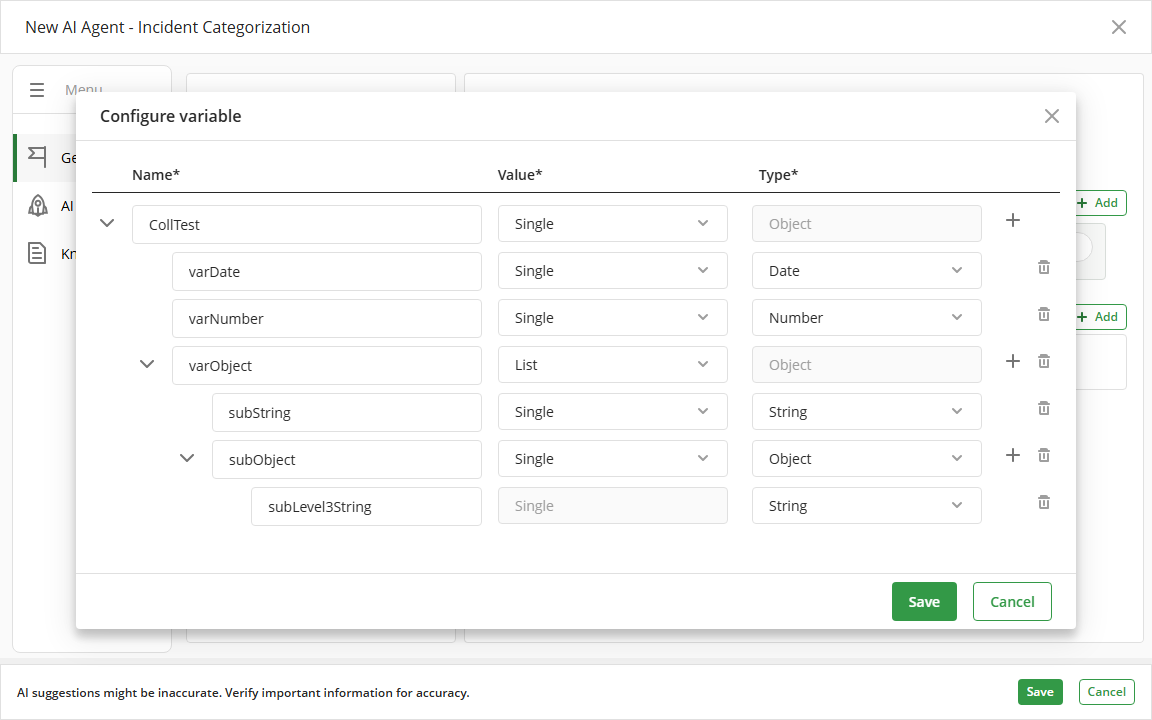
The following options are available for attribute management:
•Add attribute: Available only for attributes of type Object. This option allows you to define child attributes within the current Object level.
•Delete attribute: Available for all attributes. This action removes the selected attribute along with any child attributes it contains.
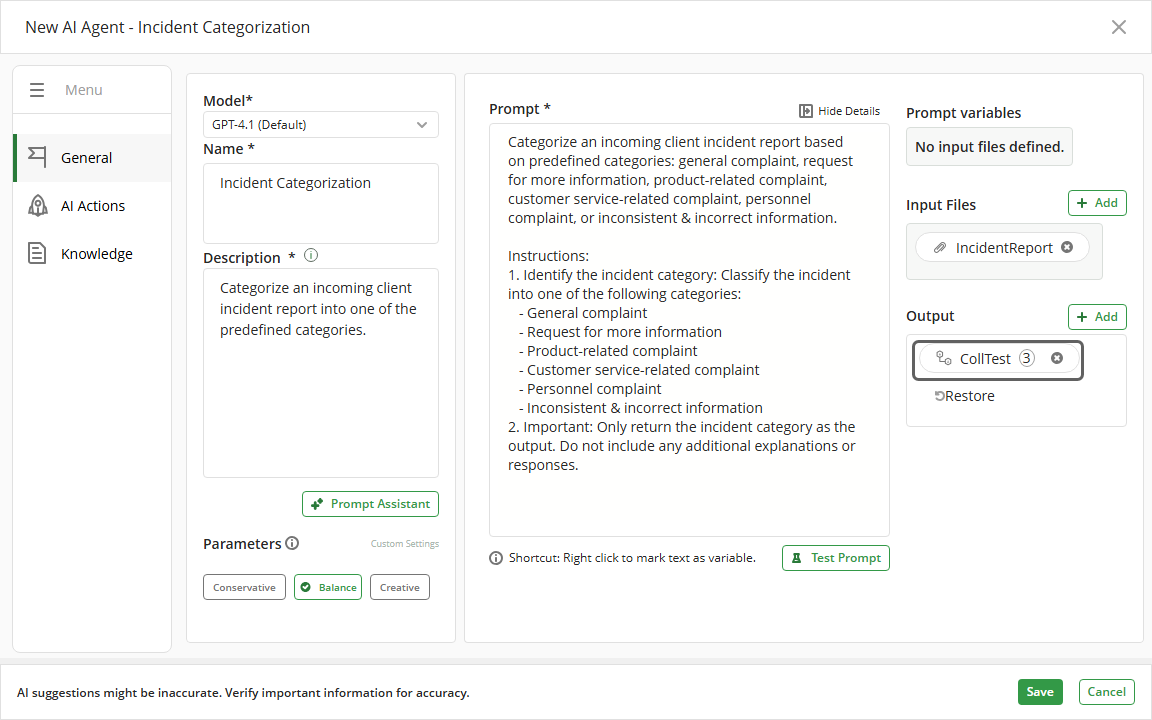
When the configuration is saved, the system displays the number of attributes defined at the first level of the Object.
Property naming rules
To ensure valid and consistent Object definitions, attribute names must meet the following rules:
•The name must not be empty.
•The name must be unique within the same Object level.
•The name must not contain spaces.
•The name must not contain special characters (for example: !, ?, /, @).
•The name must not include unescaped double quotes.
•The name must not contain line breaks or control characters.
•The name must be meaningful and clearly describe the associated value.
These rules are validated during configuration to ensure that Object outputs are defined correctly.
Last Updated 7/16/2026 5:36:14 PM