Overview
Bizagi allows you to control read‑only behavior individually for each task when the allocation type is Everyone. Previously, this behavior could only be defined globally in Business Configuration. With task‑level settings, you can determine how each task behaves when opened, whether it should remain read‑only, and under what conditions users may claim or release it.
Understanding read‑only mode
When a task is configured for read‑only mode, you can open it and review its information, but you cannot modify it until you select Take Ownership.
If you claim the task by mistake or decide not to work on it, the Release option allows you to return the task to its unclaimed state. These actions help prevent tasks from being claimed unnecessarily and ensure ownership is intentional.
Configuration levels
Bizagi manages read‑only behavior using two configuration levels:
Global configuration
Located in Configuration > Business > Advanced. These settings define the default read‑only behavior for all tasks.
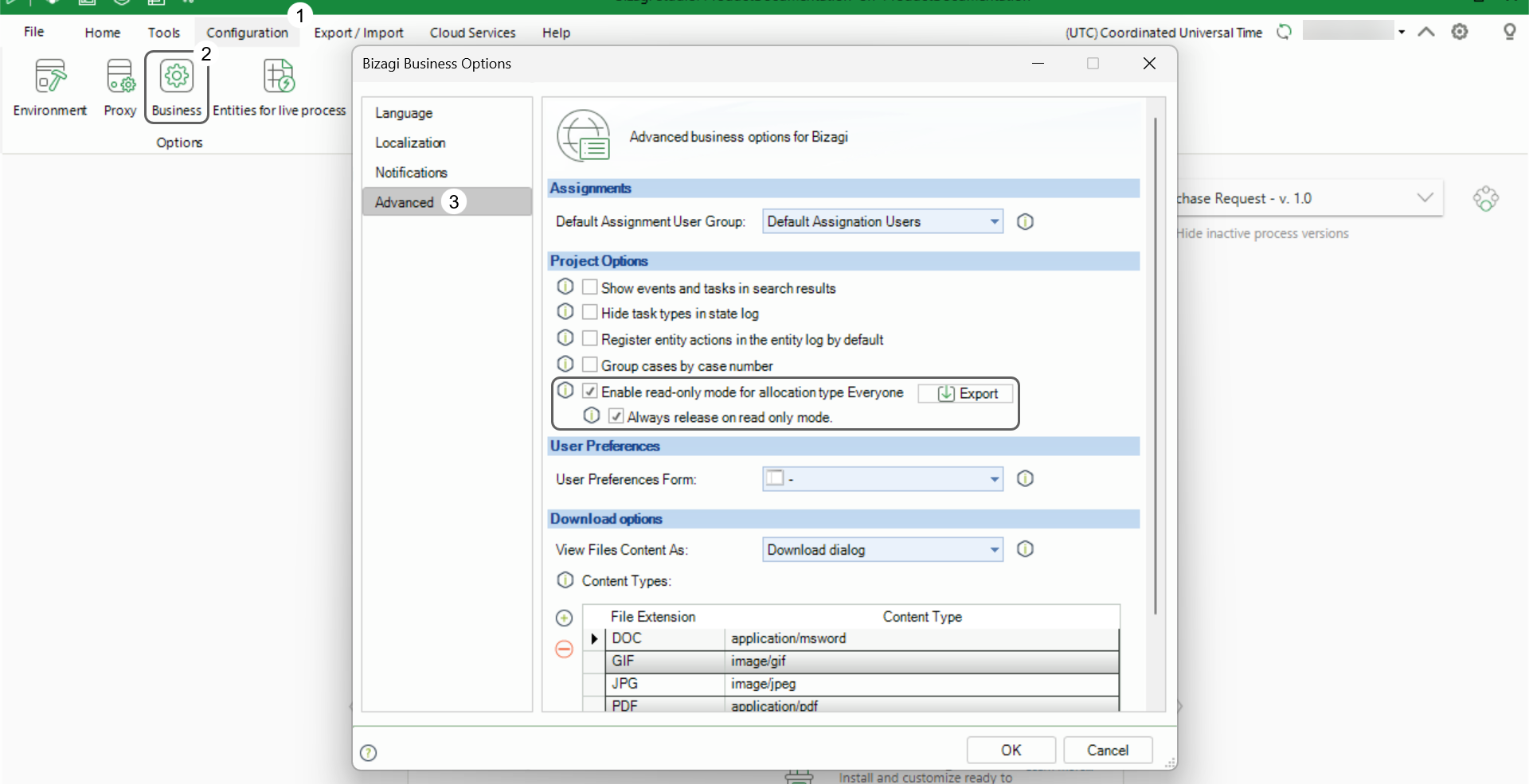
Task‑specific configuration
Available directly in each task’s properties (specifically in the Runtime tab) within the Model Process step in Bizagi Studio. For each task, you can:
•Inherit the global configuration
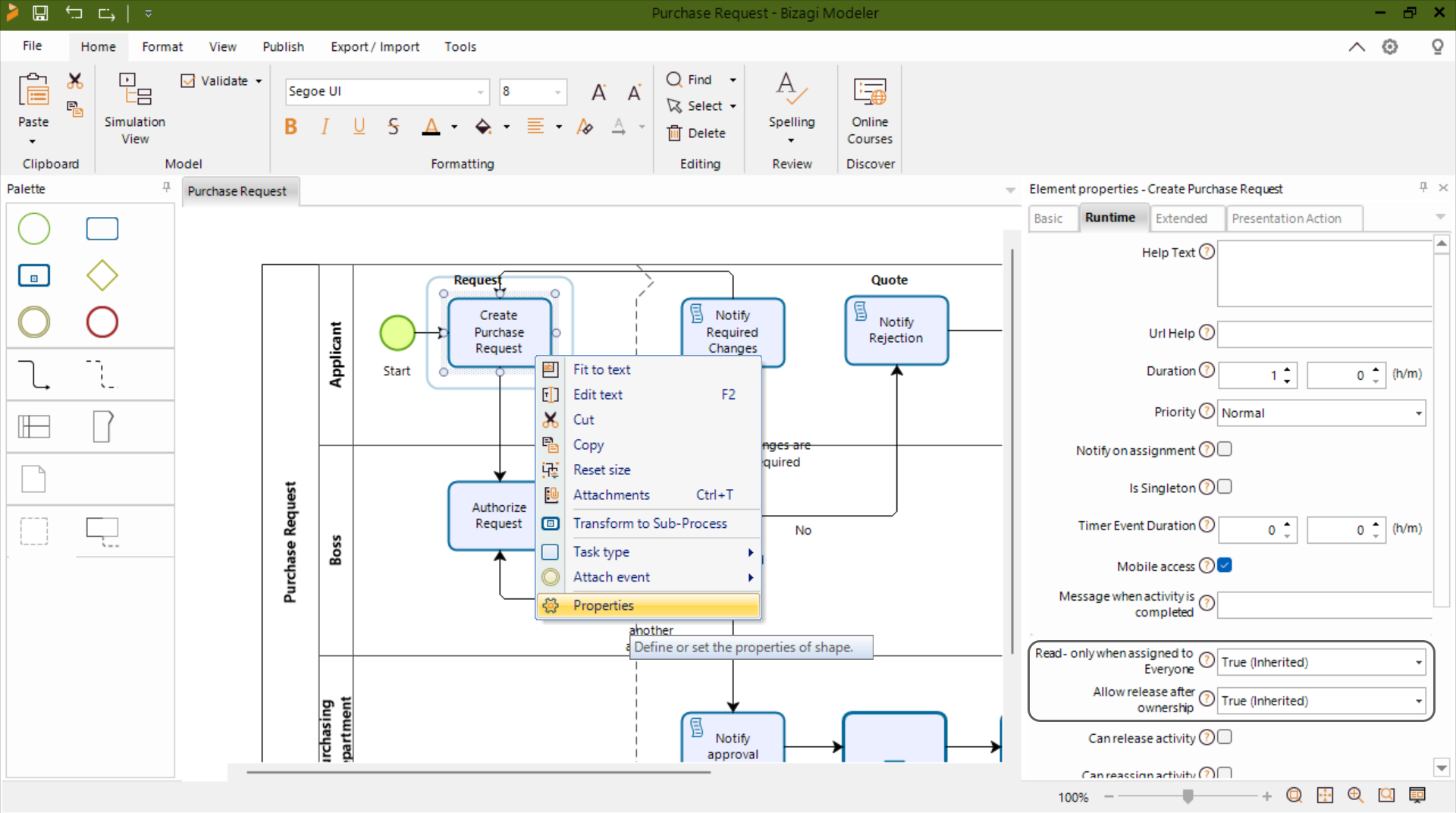
•Override it by enabling or disabling Read‑only mode and the Release option specifically for that task.
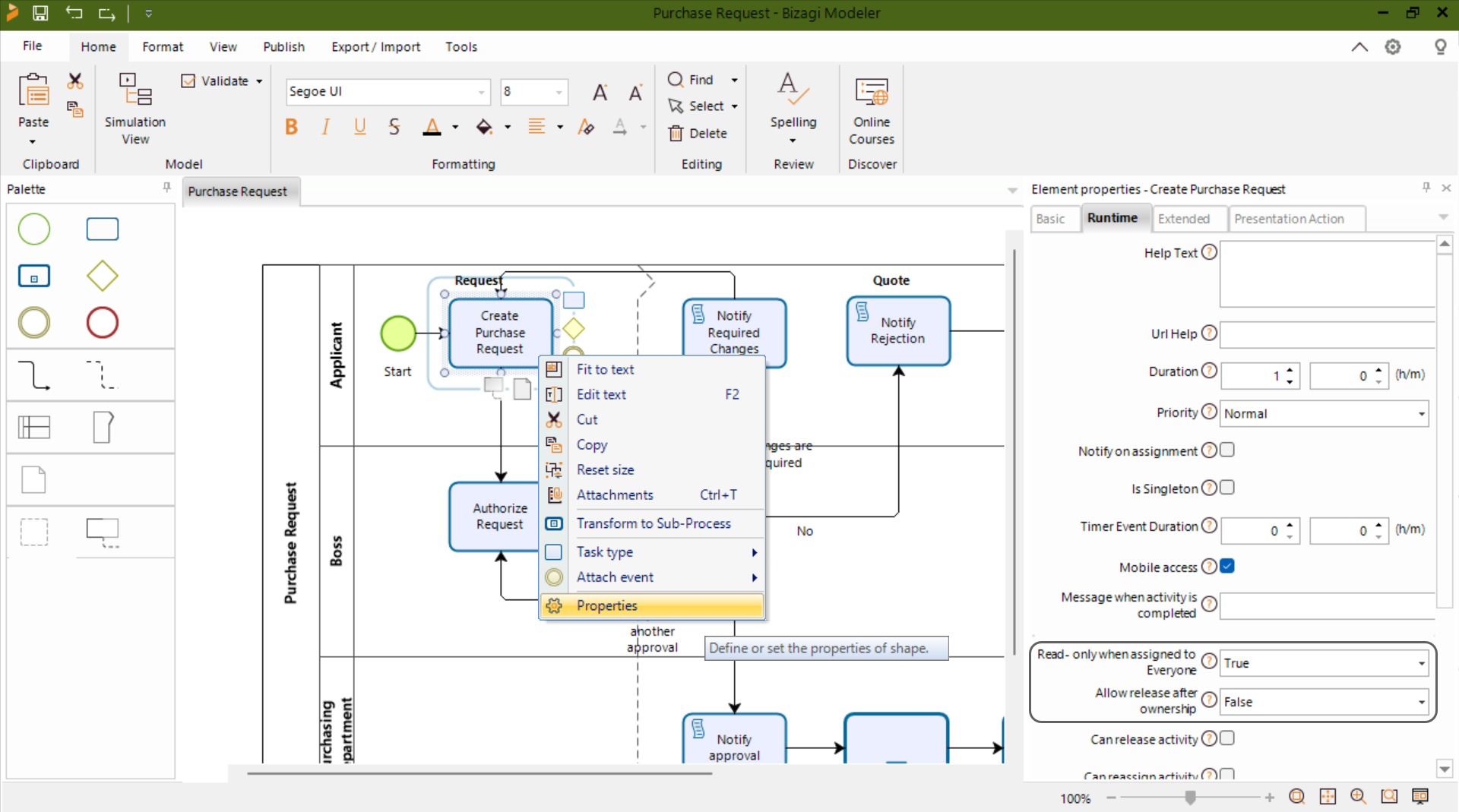
Task‑level overrides let you adjust behavior only where needed, without altering the default settings for the rest of the project.
How Bizagi determines the final behavior
Bizagi applies the following rules to decide which configuration affects each task:
•If a task does not have its own configuration, it follows the global setting.
•If a task does have its own configuration, those values override the global configuration.
•The option Always enable Release button on read‑only mode can only be enabled when Enable read‑only mode for allocation type Everyone is active.
These rules ensure consistent behavior while allowing exceptions when required.
Configuration scenarios
Task without task‑specific configuration
The task inherits the global read‑only settings from Business Configuration.
Task with its own configuration
The task uses the values set in the Model Process step, even if those values differ from the global configuration.
Release option enabled without read‑only mode
Bizagi does not allow this configuration, because the Release option depends on the main read‑only setting.
Exporting task‑specific overrides
Bizagi includes an Export option in Business Configuration that generates an Excel file listing all tasks that contain overrides.
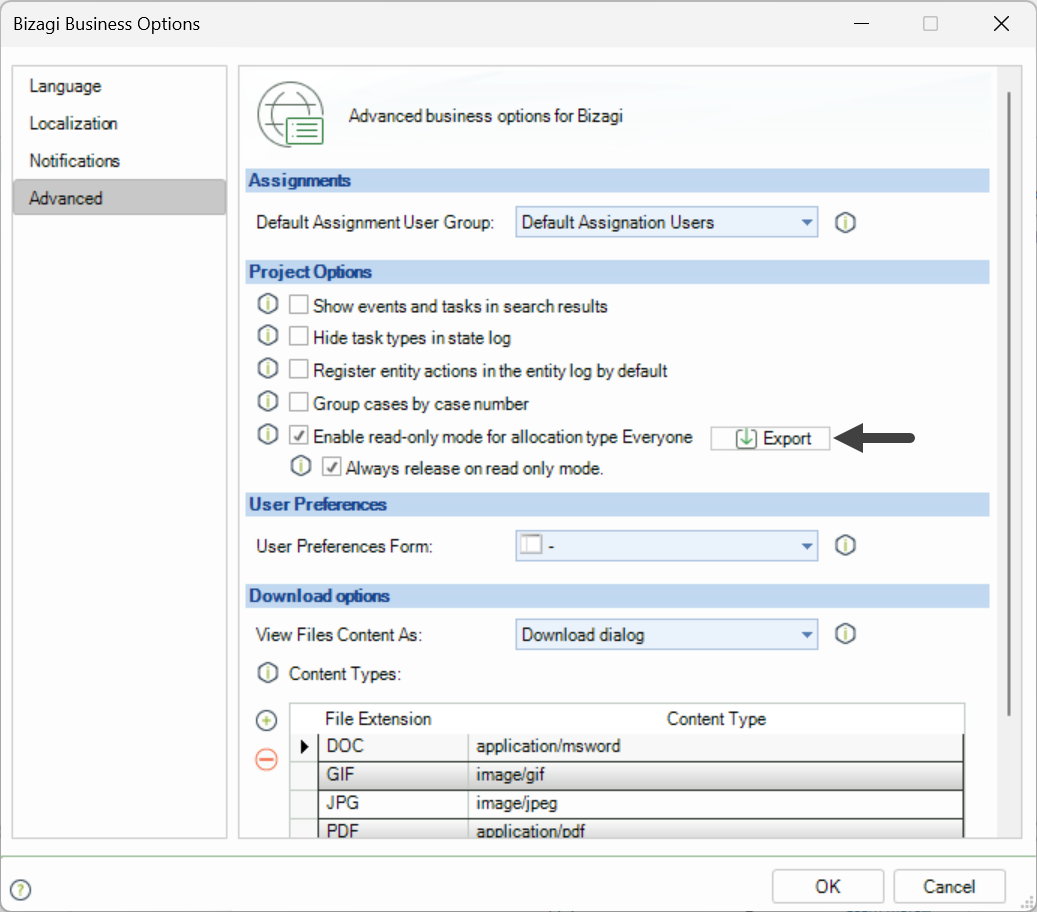
The file includes:
•Process name
•Version
•Task name
•Task‑specific configuration values
•Global configuration values
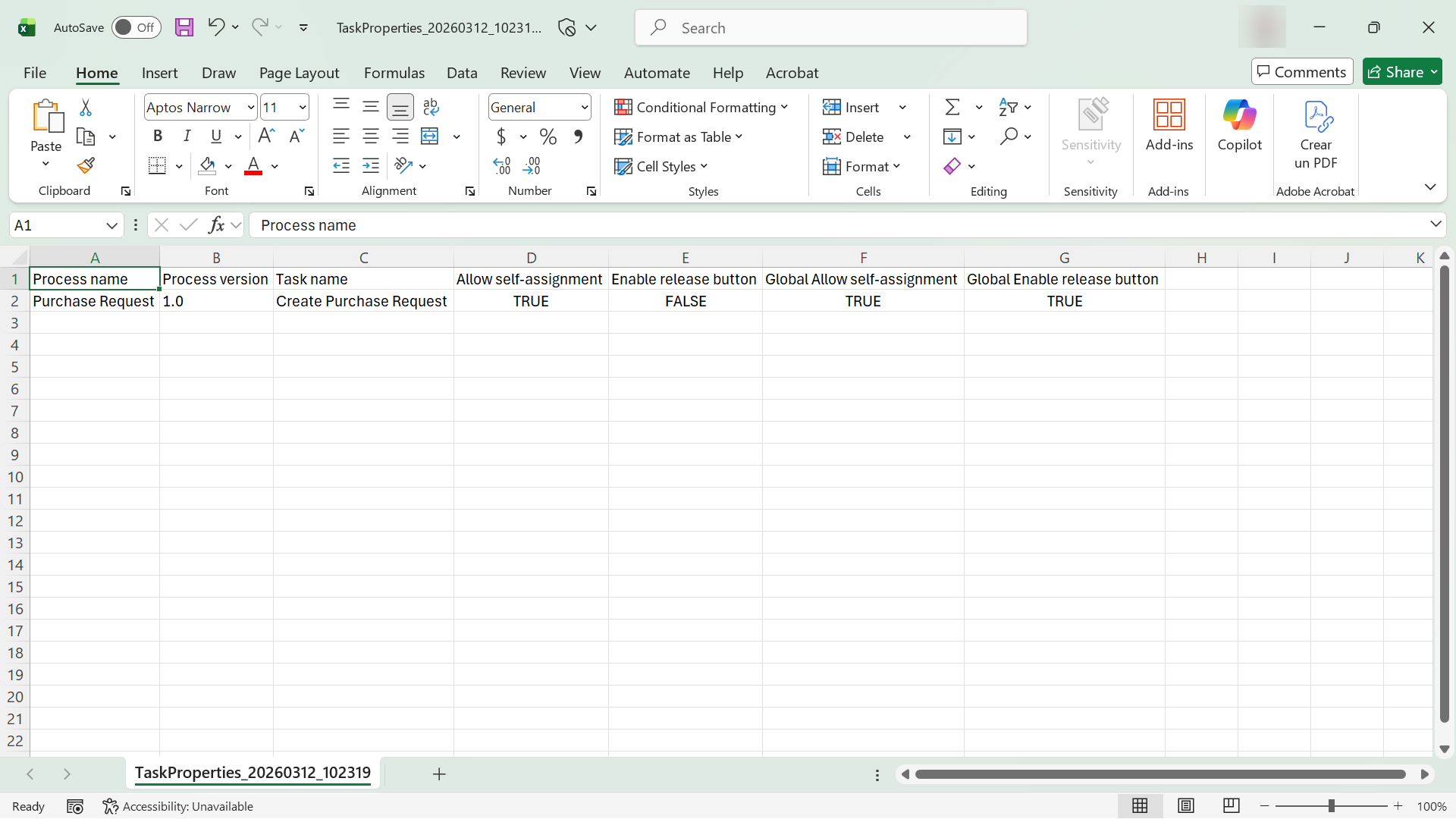
Only tasks with explicit overrides appear in the export. This makes it easier to identify where task‑level settings differ from the global configuration, especially in large projects.
Last Updated 8/4/2026 4:23:27 PM