Overview
Bizagi offers a collaborative environment where you and co-workers can work simultaneously on the same project.
If you have several processes in your project you might need to restrict access to some resources to prevent other users modifying one process, that will affect other processes.
By default, each new Bizagi project enables users included as Bizagi administrators to access all the project’s objects. Access rights to specific objects of the project are not configured.
We encourage enabling Bizagi Studio access control to make sure the right users have access to managing the correct project’s resources.
Resources for which access control can be managed are:
Module in the expert view |
Elements of the module where can you set access control |
|---|---|
Processes |
•Application main node •Applications •Processes •Processes versions |
Entities |
•Entities main node •Application entities •Master entities •Parameter entities |
Business rules |
•Applications main node •Global functions •Global expressions |
As soon as a resource has any type of access control (either to deny or to allow access), Bizagi will assume that the resource is restricted. Collaboration Teams with Modify or Full Control access will be able to modify it. All others will be prevented from modifying the resource.
Resources with access control
Access control can be managed for certain elements, or resources in Bizagi Studio. Access control can be assigned to a user group
The specific access control actions vary depending on the type of Resource. There are three actions:
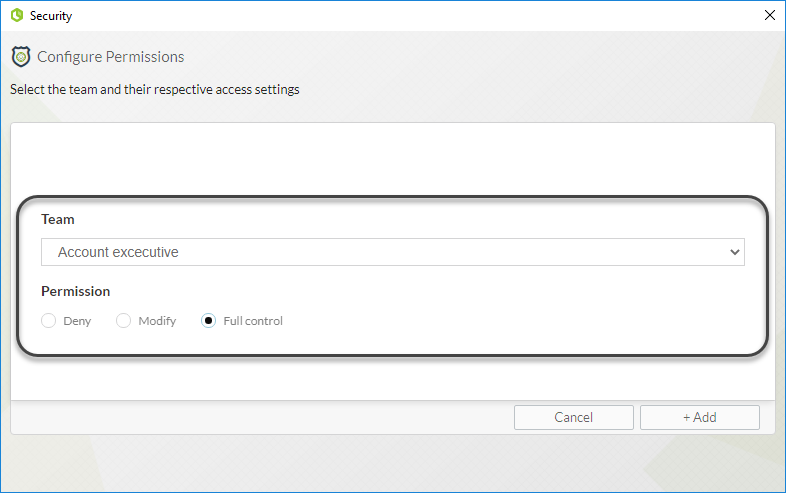
•Deny: Block the team from viewing a Resource.
•Modify: Allow editing a Resource but not creating a new one.
•Full Control: Team members can execute every possible action on a Resource (Create, Modify, Delete) and assign access control to it.
Access rights are inherited. When you have Modify permissions over an Application, you also have Modify permissions over all the Processes related to that Application and to all its elements: Forms, business rules, expressions, etc. This includes
everything contained in the hierarchical tree.
When you create a new Process, it will inherit the access control configuration given to its Application.
To set Bizagi Studio access control, follow these steps:
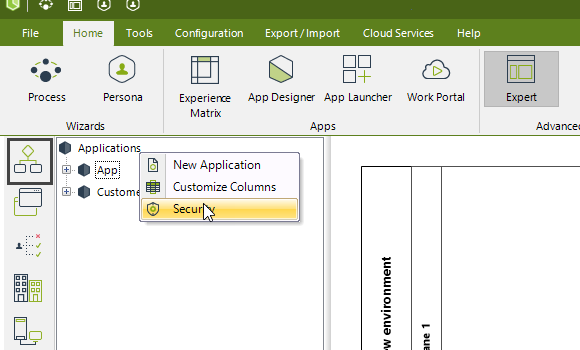
In Expert view, in the Processes node right-click the element you wish to set access control for and select Access Control.
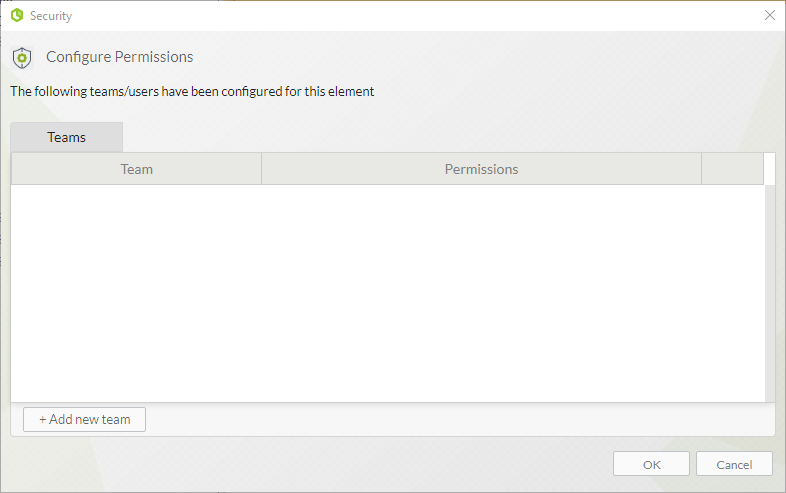
A window appears where you can add the collaboration teams you want to set access control for. Click Add new team.
Select the team you wish to set permissions for and the permission level you want to assign. To finish, click Add.
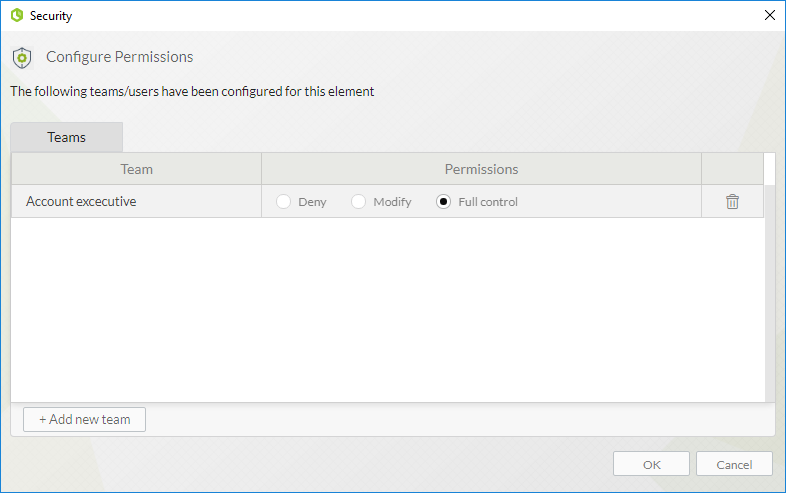
The selected team will appear in the main window. You can change a team's permissions, or delete it by clicking the trash can icon. To finish setting access control up, click OK.
Last Updated 3/27/2026 4:22:04 PM