Process Queries information and tips
•The Forms related to Process Queries are available for Process Queries exclusively. They contain special controls and properties that are only required in Queries. Thus, they are not available to be used as Process Forms.
•By default all Queries created are shown in the Work Portal. If you need to hide a Query form you can change the Authorization settings and select a role that no user has. For more information refer to Queries' Work portal security.
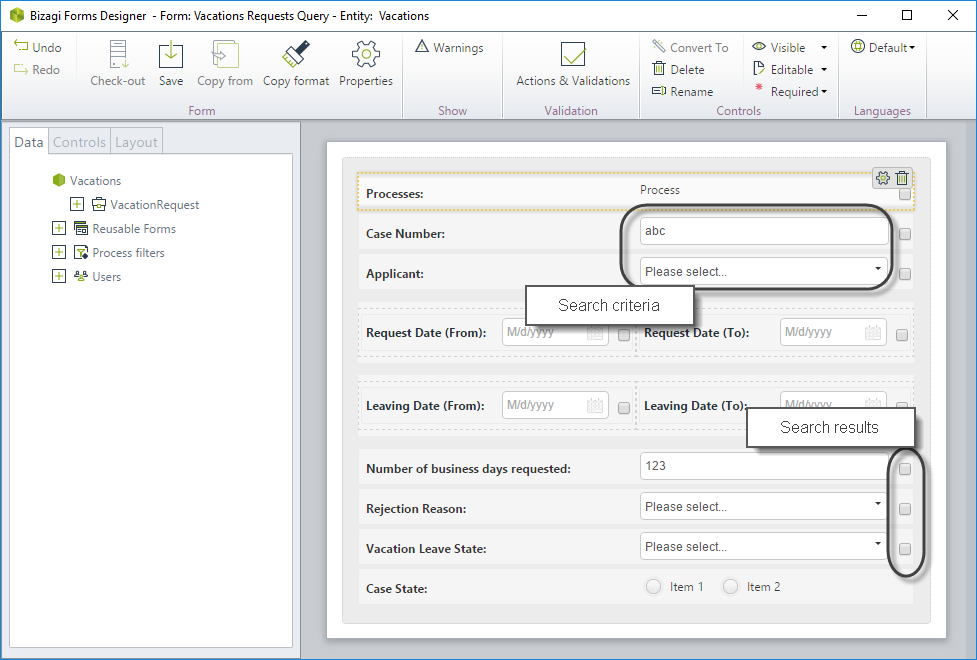
•Controls included in Queries serve as search criteria. When end users select a value for a control, Bizagi will look for cases where the attribute related to that control contains that value.
•Controls included in Queries can also be used as result criteria. Every control in a Query has a check-box in front. If end users select the check-box, the control will display in the search results as a column.
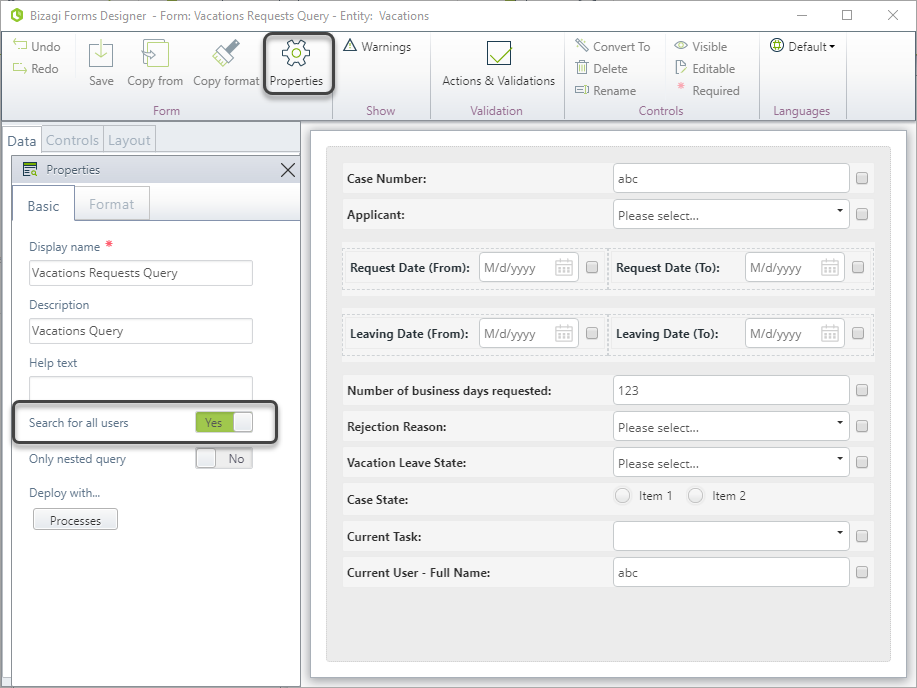
•You can define queries to display search results for all the existent cases that meet specific criteria or only for those cases in which the logged end user has pending activities. To define this behavior, Query Forms use the Search for all Users property.
oSearch for all users (enabled): the Process Query search results will display all cases that meet the criteria, regardless who is the allocated user.
oSearch for all users (disabled): the Process Query search results will display only the cases that meet the criteria that are allocated to the logged user.
•There are some controls that are not allowed in the query form. Therefore they will not be displayed when a new control is selected for the Form.
These following are the controls that ARE SUPPORTED: Cascading combo, Combo, Date, Label, List, Money, Multiselect combo, Number, Radio, Suggest, Table, Text box, Yes/No.
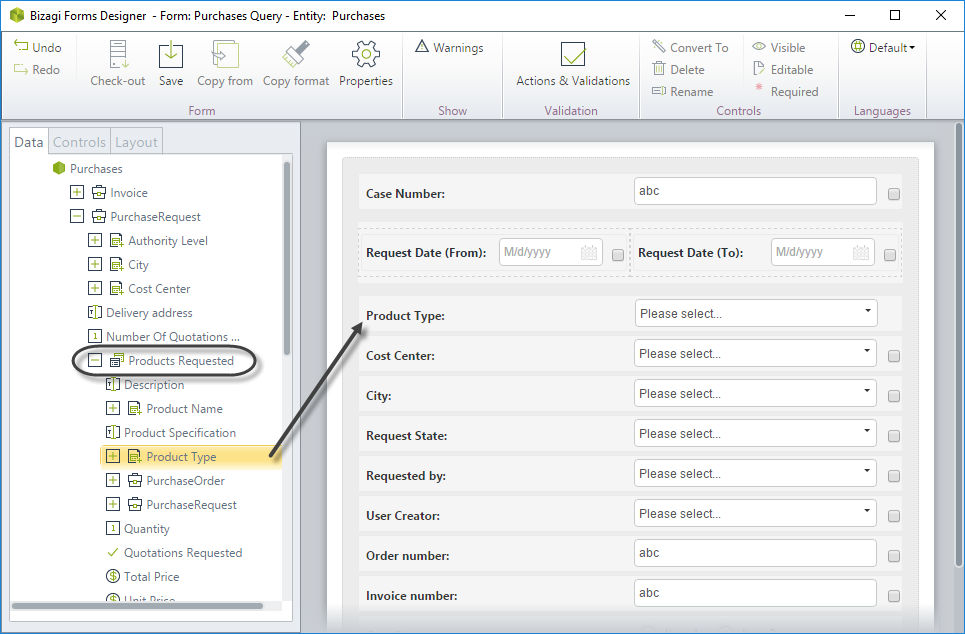
•Query Forms can include search criteria from tables (Collections). The actual table will not be available to be included. You can drag and drop the collection's attributes as regular attributes. These controls will be available as searching criteria exclusively. That is, the collection's information is used to filter the information, and is not included as a result of the query. Note in the image below that the control from the table has no check-box in front to select as result.
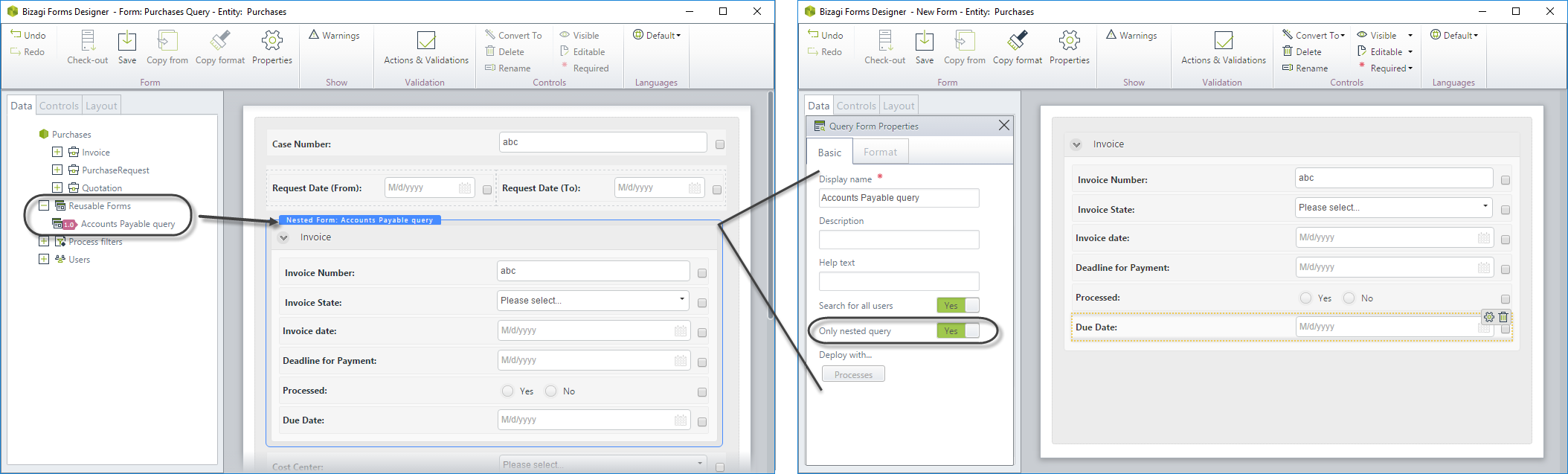
•You can use nested (or reusable) Query Forms, if the form you are nesting is also a Query form. That is, in order to include a nested form in a Query it is necessary for that from to be also a Query form.
Since all query forms are displayed in the Work Portal by default, the Query forms that are used ONLY as nested queries can be hidden selecting the Only nested query property.
•Process Queries have special controls that serve as search criteria, additional to the business data, to enhance the performance of the queries. These special controls are found below the Data model attributes:
oProcess: include Application, Process, Task and Cases controls.
oUsers: include Creator, Current and Previous users.

|
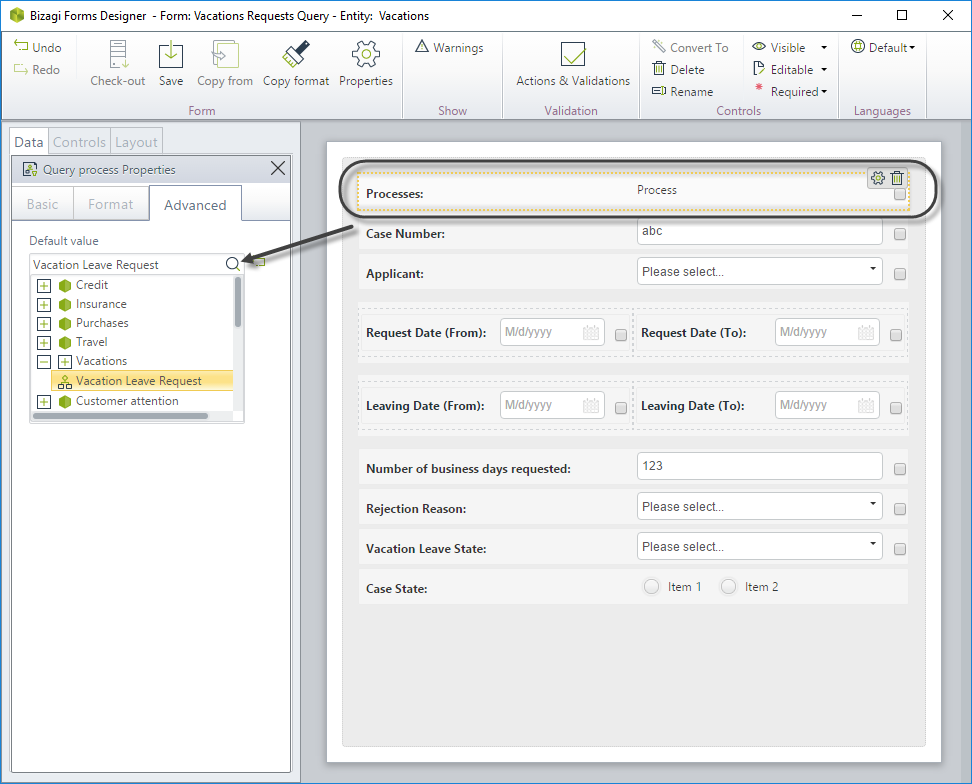
We recommend using the Process control as a filter to define each Query specific on a process. To do so, include the Process control. In the Advanced tab select the Default value. This way you are defining a filter to search for that specific process chosen. Define the control as not editable to avoid users from changing the filter. |

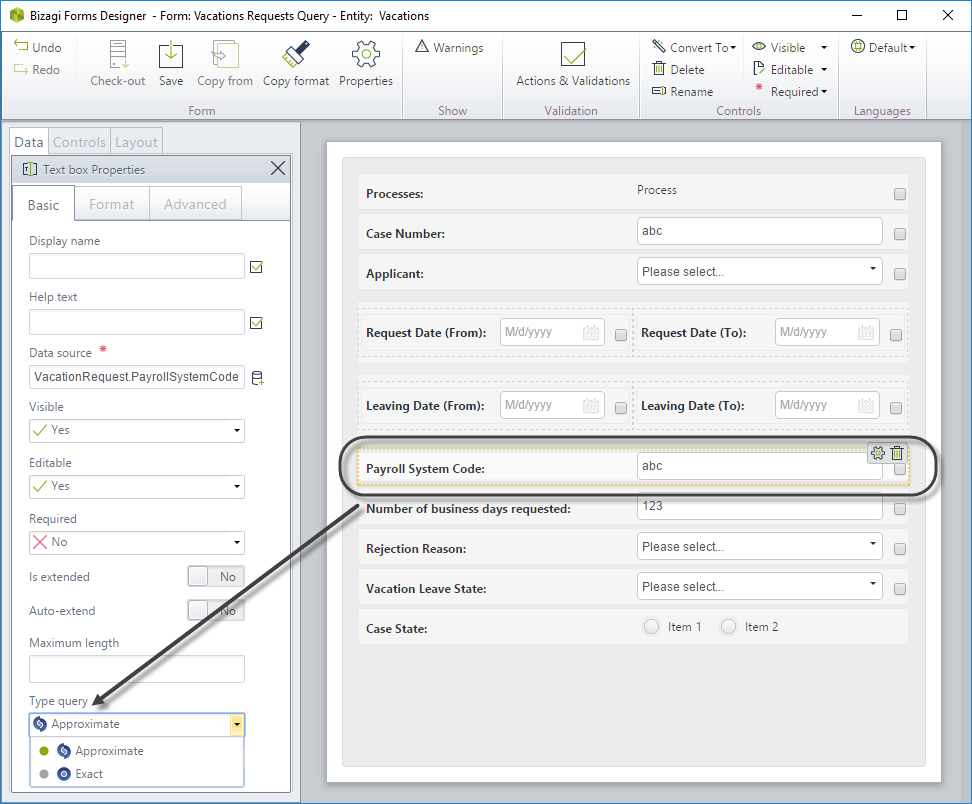
•Text Controls can be defined to be searched with an approximate or an exact match.
oExact: The text has to be written exactly as it was entered for Bizagi .
oApproximate: End users can type a part of a string and Bizagi will display all cases containing it.
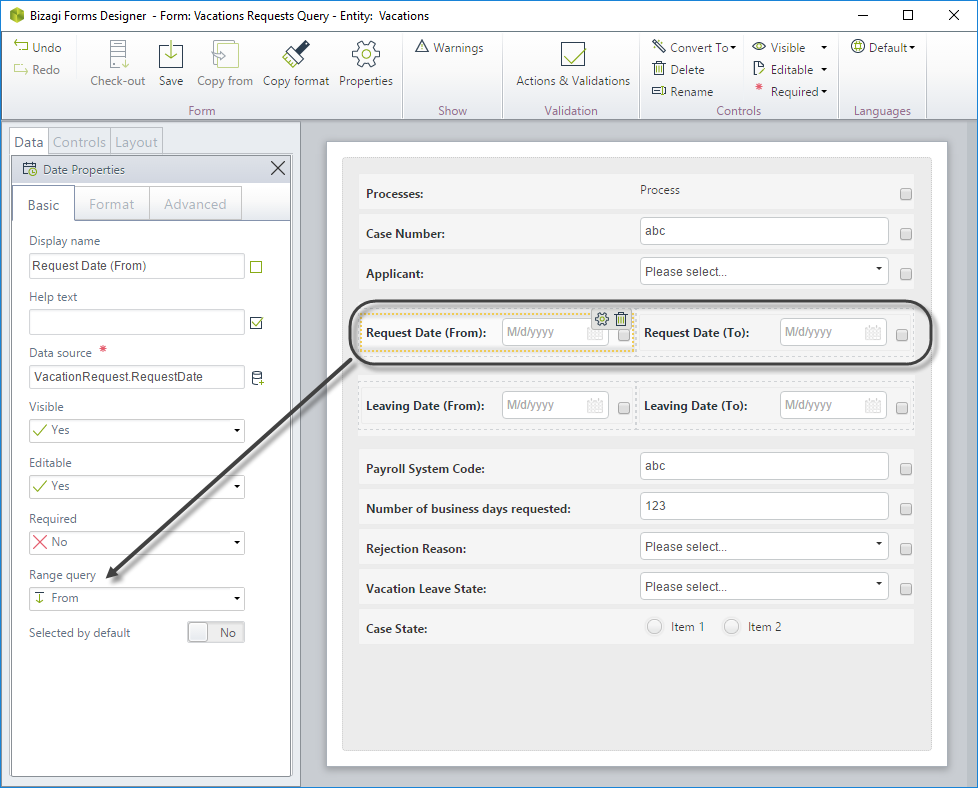
•Numerical and Date controls can have lower and upper limits to search for ranges.
Select whether the control is the lower limit (from) or upper limit (to). In this case, the same field is called on twice in the same form, and the display name is changed to indicate the initial and final range, respectively.
oWhen you change the query's name it will not be automatically updated. To see it click the Refresh button on the ribbon.
oWhen a process is cloned the new process will be related to THE SAME query, not a new one. That is, queries are inherited, not duplicated.
•Once Queries have been deployed to the Production environment using one click deployment, and to guarantee their correct performance, they will not be available to edit or delete. If new queries are needed, you can create new ones and associate them.
Last Updated 2/13/2026 10:04:50 AM